Affiliate disclosure: This post contains affiliate links. If you buy through them, I may earn a commission at no extra cost to you.
TubeBook AI Review 2026: Features, Pricing, OTOs and Buyer Fit
Review basis: This is a research-based review. It draws on the product description, offer structure and pricing supplied for this article. I have not purchased or used the paid product, and I have not visited checkout, so the feature descriptions below are what the offer lists, not results I measured.
This TubeBook AI review looks at a tool built around one idea: turning YouTube captions into a structured book project, then exporting files in formats used for Amazon KDP paperbacks. Below you will find what it is advertised to do, who it fits, the full pricing funnel with arithmetic, and what to confirm before you buy.
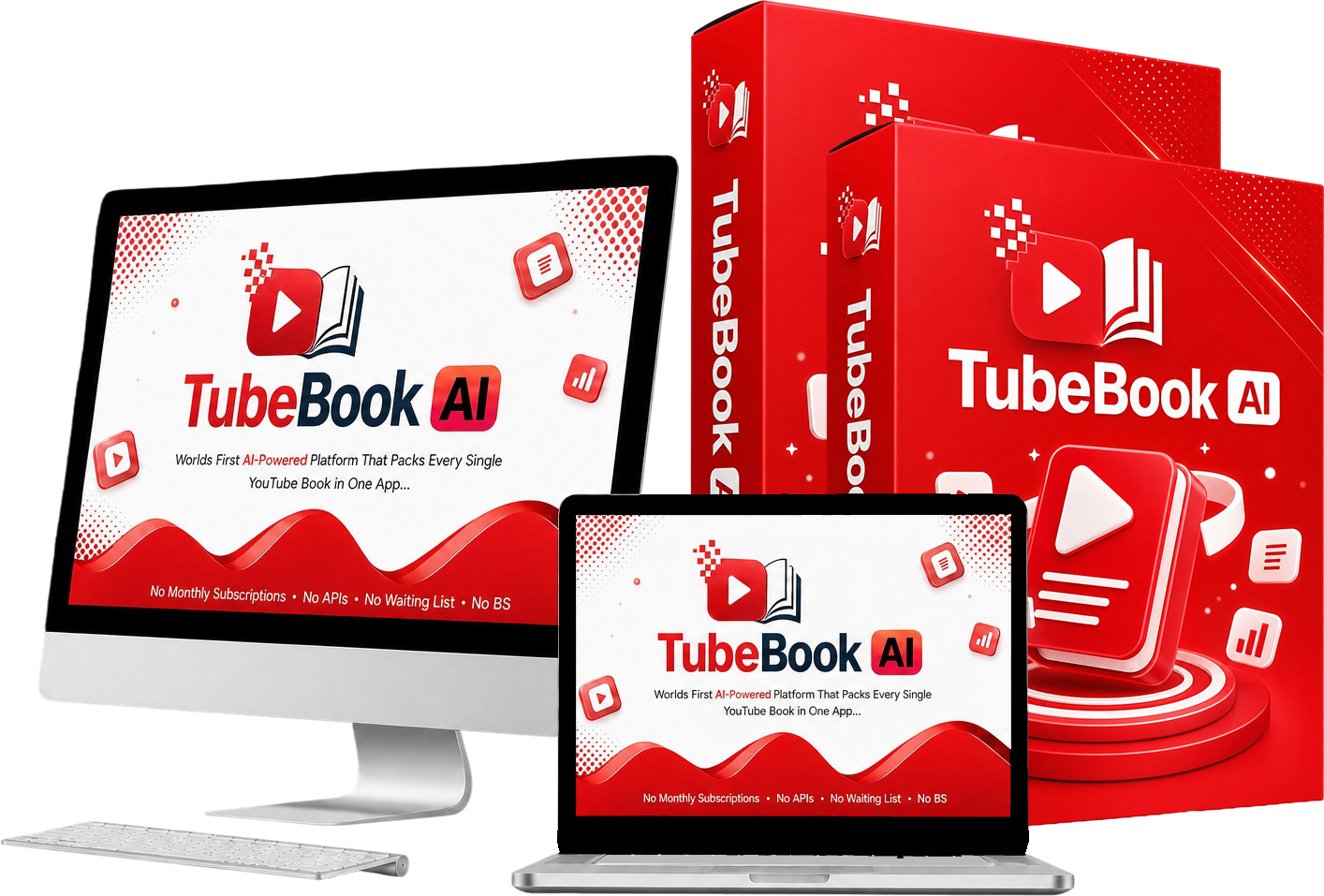
| Product | TubeBook AI |
| Creator (as listed) | Justin Opay |
| Front-end price | $17 one-time (listed as normally $97) |
| Coupons | TBVIP30 (30% off) / TBAI3OFF ($3 off) |
| Platform (as listed) | LaunchPadJV; cloud-based app |
| Niche | AI book creation for Amazon KDP |
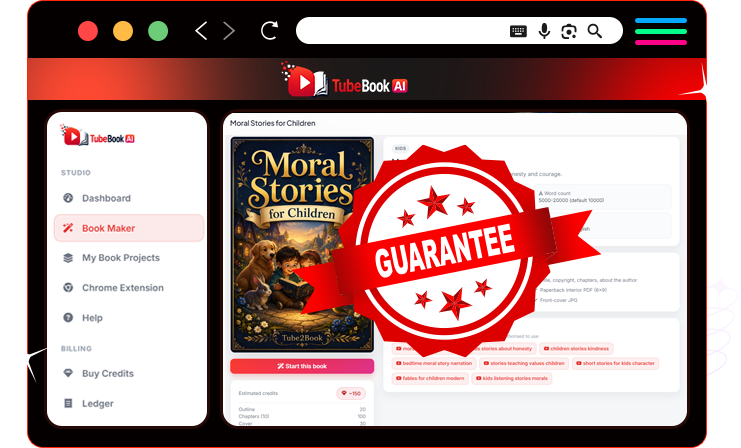
| Guarantee | 30-day money-back (vendor-controlled) |
| Likely best fit | KDP publishers and creators who want to turn video research into book drafts |
| Official link | Get TubeBook AI Here |
Quick Verdict: TubeBook AI looks best suited to a self-publisher who wants a faster path from video research to a draft manuscript, cover and KDP-format files, and who is willing to edit the output and confirm the rights to their source material. The main caution is the funnel: $17 is the entry price, but the listed upsells add up to $645 with the order bump. Confidence is limited because the capabilities here come from the offer listing, not from my own testing.
Key Takeaways
- Advertised workflow: the product is described as taking YouTube captions through transcript cleanup, a book blueprint, chapter generation, a cover, and KDP-format exports.
- Entry price versus full funnel: the front end is $17 one-time, and buying every listed offer totals $645 (arithmetic in the pricing section).
- Not independently tested: speed, output quality and export acceptance are unconfirmed here. Verify them under the refund window.
- Rights are your responsibility: videos and transcripts made by others are usually protected, so use only material you are allowed to use as research.
Buying through this link qualifies you for the bonus package described in the bonus section below.
What TubeBook AI Is Advertised to Do
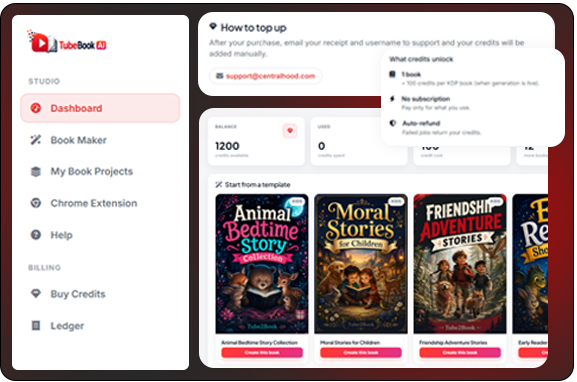
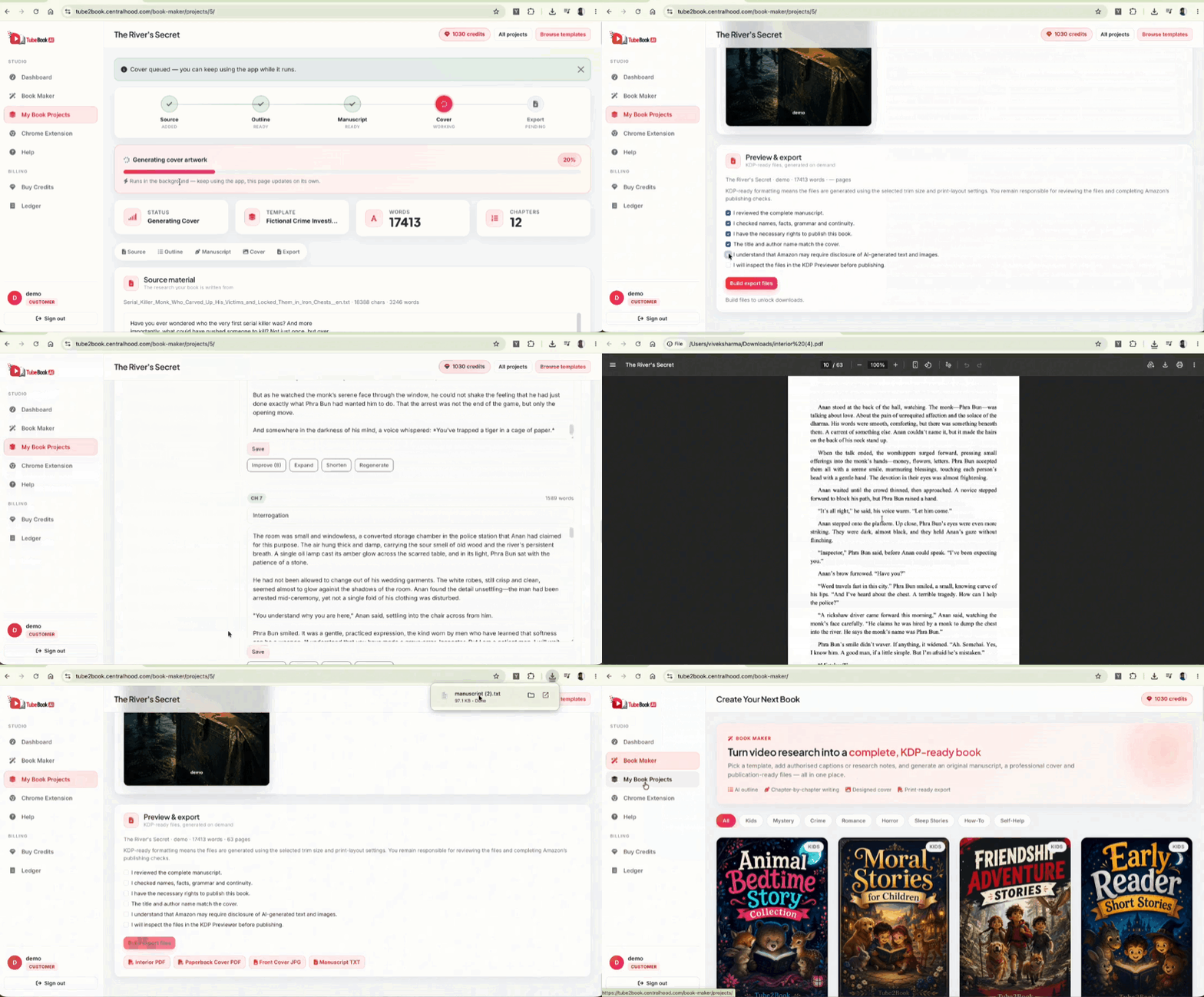
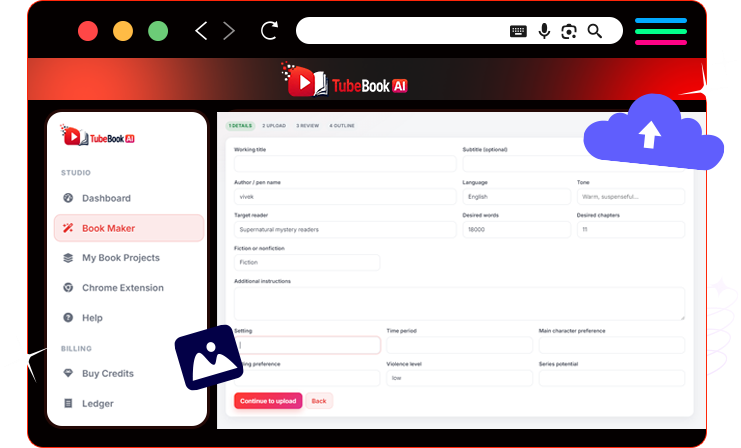
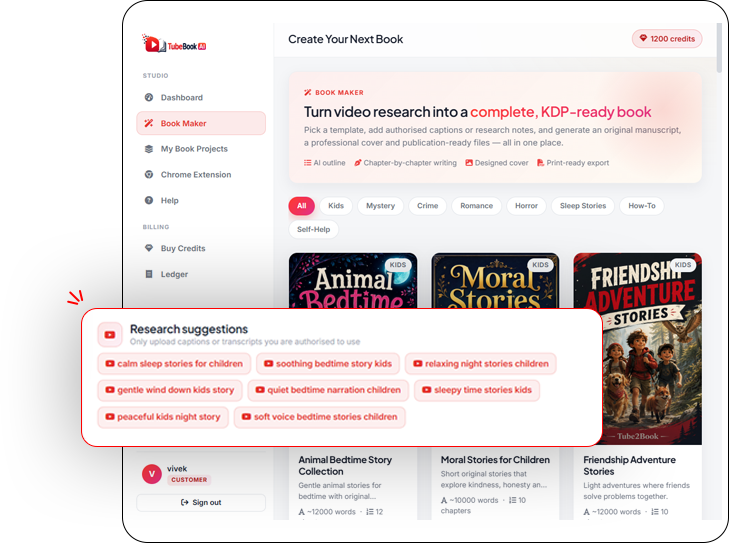
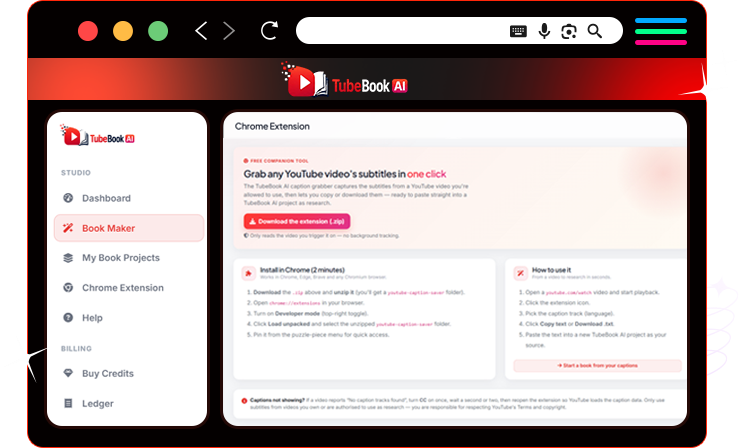
TubeBook AI is positioned as a YouTube to book tool for Amazon KDP. According to the offer details supplied for this review, it combines caption ingestion (including a Chrome extension), a transcript cleaner, a blueprint and chapter generator that runs as background jobs, and an export stage that produces a cover JPG, a 6×9 interior PDF, a full-wrap cover PDF with calculated spine width, and a manuscript TXT.
The listing also names a 45+ template library, an outline editor, and a rewrite suite (Improve, Expand, Shorten, Regenerate). I have not confirmed how any of these behave in practice, so treat them as claims to verify.
Who It Fits, and Who Should Skip It
Producing a paperback involves topic selection, chapter structure, drafting, editing, cover design, trim-size formatting and spine calculation. A tool that bundles those steps targets a real bottleneck for people who already have research material but little formatting experience.
| Likely a fit | Probably not a fit |
|---|---|
| KDP publishers building several titles under pen names | Anyone expecting a single book to replace a salary quickly |
| Coaches and teachers turning their own lectures or videos into guides | Anyone planning to repackage other creators' videos without permission |
| Beginners stuck on formatting and cover specifications | Teams that need seats, SSO or compliance reports (not confirmed in the supplied material) |
| Affiliate marketers adding a royalty-based asset | Buyers unwilling to edit outlines and drafts themselves |
The Advertised Workflow
The offer describes a three-step process. These steps are summarized from the product description, not from a walkthrough I performed.
Step 1: Paste a YouTube video. The tool is described as extracting captions into a downloadable text research file.
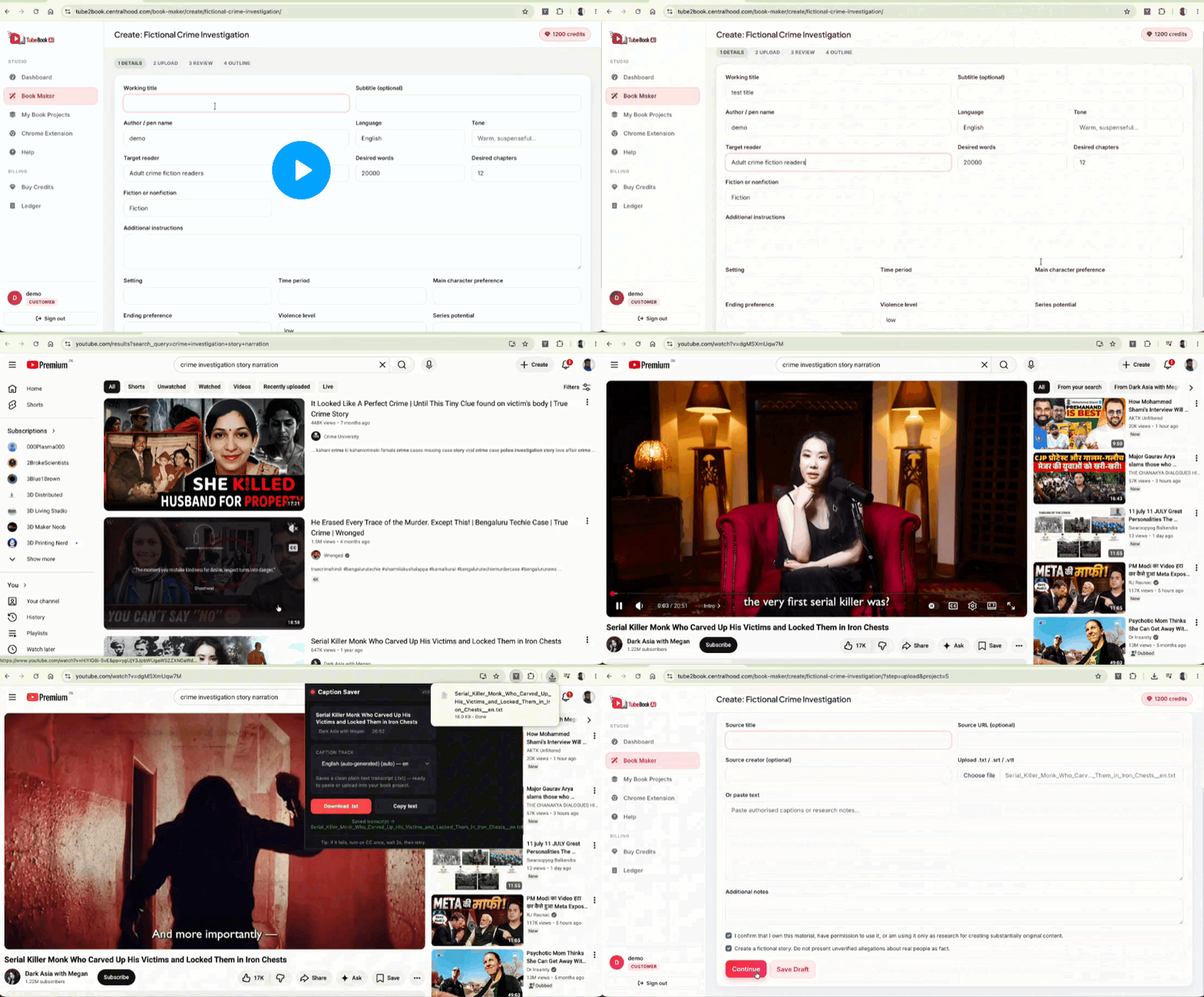
Step 2: Review the book blueprint. The app is described as drafting a title, subtitle, premise and chapter outline that you can edit before manuscript generation.
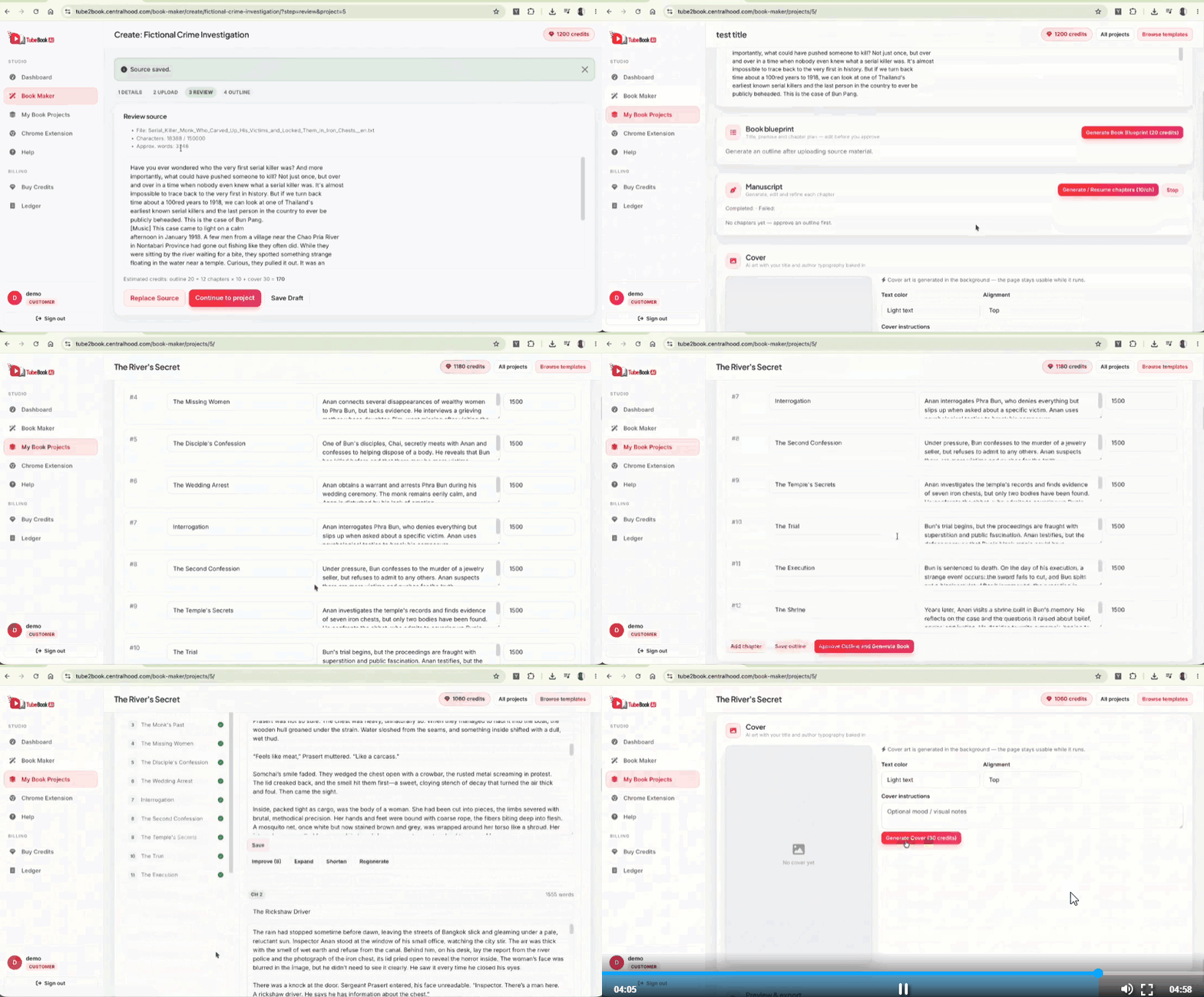
Step 3: Export the book files. The listing says you generate a cover and export the interior PDF, full-wrap cover PDF and front-cover JPG for upload to Amazon KDP.
Features and What They Mean for Buyers
Transcript extraction and cleanup
Raw captions often carry timestamps and repeated lines. A cleaner that removes them gives the writing stage tidier input, which matters if you plan to build on a long video. Check how it handles videos without captions, because the supplied material does not say.
Template library
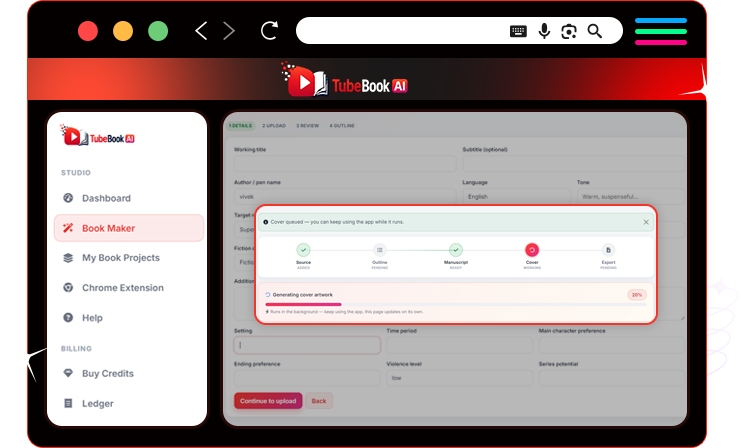
The listing mentions 45+ templates spanning fiction and non-fiction genres such as romance, mystery, children's books, how-to, self-help and business, each with preset length and tone. For a beginner this can reduce blank-page decisions. Whether the presets suit your niche is something you can only judge by trying them.
Blueprint generator and outline editor
Editable outlines keep you in control of structure before any manuscript exists. That is a meaningful design choice for buyers who want to shape the book, though the quality of the generated blueprint is unverified here.
Chapter engine and rewrite suite
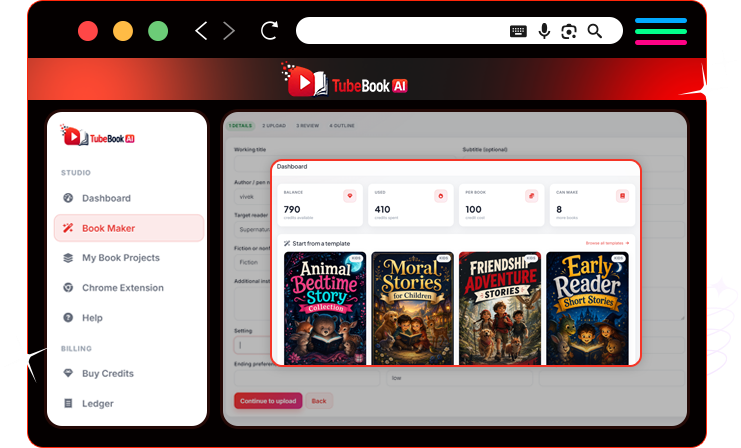
The offer describes sequential chapter generation that saves progress and can resume, plus rewrite tools that keep earlier versions. If accurate, that helps with long drafts. How long generation takes, and how good the prose is, are not established here.
Cover and KDP-format export
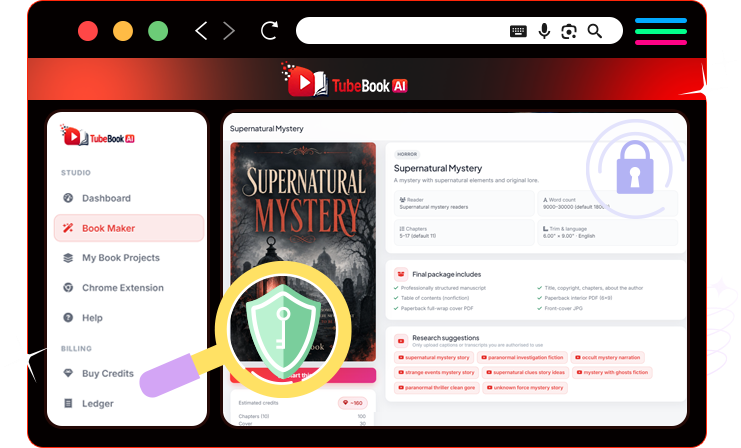
Spine width depends on page count, so automatic calculation is useful to anyone who has had a cover rejected for sizing. Always check exported files against Amazon's current print guidelines before uploading, because the supplied material does not show an upload being accepted.
Evidence Boundaries and Material Unknowns
- No independent testing. Speed, output quality and export acceptance are unverified.
- Project slot limits. The earlier listing describes capped project slots on the front end and unlimited projects at OTO 1, but no slot count is stated.
- Integrations. Whether there is a public API, webhooks or team seats is not confirmed. The Chrome extension is listed as Chrome and Edge only.
- Template count. "45+ templates" is the listing figure; the number of categories is described inconsistently in the source material.
- Rights and royalties. The listing mentions commercial rights. Read the license terms, and remember royalty rates are set by the retailer, not the software.
- Support and refund handling. The 30-day guarantee is vendor-controlled; confirm how to claim it.
- Bundle. No separate bundle price or link was supplied, so this review does not assess a bundle.
TubeBook AI Pricing: Front End, OTOs and Coupons
Here is the complete TubeBook AI pricing funnel as supplied. Two coupon codes are listed: TBVIP30 (30% off) and TBAI3OFF ($3 off).
| Offer | Price | Listed as |
|---|---|---|
| Front End: TubeBook AI Starter | $17 one-time (normally $97) | Core pipeline, commercial rights, Chrome extension, KDP exports; limited project slots |
| Order Bump: Top 100 KDP Niche Pack | $9 | Pre-researched niche list |
| OTO 1: Unlimited | $47 | Removes project caps |
| OTO 2: Premium | $67 | Described as advanced generation and priority queue |
| OTO 3: Niche Vault | $47 | Expanded niche and template research data |
| OTO 4: Cover Design | $97 | Premium cover styles and design packs |
| OTO 5: KDP Launch | $97 | Metadata, keyword and launch training |
| OTO 6: DFY | $67 | Done-for-you templates and campaigns |
| OTO 7: Instant Portfolio | $197 | Pre-built book portfolio |
Offer note: Prices and offer terms reflect the information supplied for this review; confirm the final amount at checkout. The money-back guarantee and any outcome claims are controlled by the vendor.
View the TubeBook AI offer page
Upgrade Decision Guide and Total Cost
Arithmetic:
- Front End only: $17
- Front End + OTO 1: $17 + $47 = $64
- Front End + Order Bump + OTO 1: $17 + $9 + $47 = $73
- Everything listed: $17 + $9 + $47 + $67 + $47 + $97 + $97 + $67 + $197 = $645
How the 30% coupon applies across upsells is not stated in the supplied material, so check the price after the code is applied.
How I would approach the upsells: start with the front end and see whether the output suits you. OTO 1 is the one to consider if you hit the project cap, so ask what the cap is before deciding. The remaining offers (premium generation, niche data, covers, training, done-for-you assets, and a ready-made portfolio) are optional. Judge each on whether you will use it, not on the funnel's urgency.
Pros and Cons
Potential strengths (as advertised):
- One dashboard from transcript to cover and KDP-format files.
- Editable outline before manuscript generation.
- Resume-safe chapter generation and a rewrite suite.
- Low $17 entry price with a 30-day guarantee.
Cautions:
- Capabilities and output quality are unverified by independent testing.
- The listed funnel reaches $645.
- Front-end project slots are limited per the earlier listing.
- Source-video rights and Amazon's AI-content disclosure rules are your responsibility.
- API, webhook and browser-support details are unconfirmed.
Alternatives
No current competitor evidence was supplied, so this review includes no feature comparison table. When comparing tools, check source-transcript handling, export formats, project limits, license terms and refund policy. For another product review on this site, see our WP Sync review.
Buyer Scenarios and Pre-Purchase Checklist
- First book from your own videos: the front end may be enough to test the workflow.
- Several titles a month: ask about the project cap before choosing OTO 1.
- Source material from other creators: get permission first or write your own original work.
Before you buy, confirm:
- Current price and coupon result at checkout.
- The front-end project limit.
- License and commercial-use terms.
- How refunds are claimed.
- That exported files meet Amazon's current print guidelines.
Frequently Asked Questions
Is TubeBook AI a scam or legit?
I have not used the product, so I cannot vouch for its performance. The offer includes a 30-day money-back guarantee, which lowers risk if it is honored. Read its terms and test the workflow early in the refund window.
Is TubeBook AI worth it for beginners?
It may suit beginners who want structure and formatting handled in one place, provided they will edit the output. You still need to learn KDP account basics such as categories and keywords, which sit outside the tool.
Will Amazon KDP accept books made with TubeBook AI?
That is not confirmed here. Amazon publishes its own print manuscript guidelines and asks publishers to disclose AI-generated content, so review its current rules and your rights to any source material.
How many books can I create on the $17 front end?
The earlier listing describes limited project slots and unlimited projects at OTO 1 ($47), but no number is given. Confirm the cap before buying.
How does the refund work?
A 30-day money-back guarantee is listed. The exact claim process is vendor-controlled, so check the terms at checkout.
Final Verdict: Is TubeBook AI Worth It?
Is TubeBook AI worth it? On paper, the $17 front end is a low-cost way to try a YouTube to book workflow that covers outlining, drafting, cover creation and KDP-format files. That is a strong feature set for the price, and the refund window limits the downside if you test early.
This TubeBook AI review cannot confirm output quality, speed or whether exports pass Amazon's checks, so the sensible approach is to treat the front end as a trial, check the project cap, and add upgrades only if you need them. The full funnel reaches $645 and most buyers will not need all of it. If you want fast income without editing or rights research, this is not that kind of tool.
My TubeBook AI Bonus Package
Bonus eligibility: These bonuses are provided by this site, not the vendor. After a qualifying purchase through the link in this article is verified, they are delivered by email within 24 to 48 hours. Send your receipt to the support email published by this site.
The TubeBook AI bonus package includes three focused extras plus a larger collection of 280+ items.
- Bonus 1: TubeBook AI Onboarding and Setup Guide, a 20-minute walkthrough covering account setup, the extension install and a first book.
- Bonus 2: 150 KDP Metadata Keyword Swipe File, category and keyword pairs for niche research.
- Bonus 3: Pen-Name Launch Checklist, covering faceless identity setup, author page and branding order of operations.
Titles in the collection that mention income figures are product names, not promised results.
View the 280+ bonus collection by category
Traffic Software Suite
- Facebook Traffic Software
- Instagram Traffic Software
- Pinterest Traffic Software
- Twitter Traffic Software
- Sociquick Traffic Software
- Viral Source Software
- Smart Commenter (FB Comments)
- Post Viper
- Twitter Tornado
- 24 Hour Traffic Machines
- Traffic Training Course
- Pinterest Traffic Goldmine
Done-For-You Funnels & Campaigns
- DFY Funnel (Easiest System Ever)
- Goodwill Funnel
- 5 Done-For-You High Ticket Funnels
- DFY Campaigns Part 1
- DFY Campaigns Part 2
- DFY CPA Campaigns
- DFY CPA Templates
- My Special Freebie Funnel — Goodwill
- 80 DFY Bonuses Pack
- 60+ Done For You Bonuses
Money-Making Systems & Training
- From Broke to $100K Per Month
- $10,000 Per Month System
- 1K Daily System
- $100 Per Day System
- $100 Per Day From Your Phone
- Get Fast Cash Five
- Money Monster
- EZ Passive Paydays
- Cash Magnets
- 9 Minute Commissions
- Simple Arbitrage Method
- How to Make Money With Solo Ads
- 30% of My Affiliate Traffic $$$
CPA Marketing Mastery
- Advanced Course on CPA
- CPA Video Case Studies
- Fast Profits with CPA
- How to Build a List with CPA
- CPA Pirate
- CPA Freebooter
- First 24 Hours CPA Guide
Premium Software & Tools
- Boomerang Buddy Pro
- Kartel Pro
- Aurora Pro
- Octane Pro
- Ecompare Software
- II Stores Software
- FB Quiz Creator
- Discount Zone Creator
- Pop Up Pro Creator
- Vid Chomper
- Tube Raider
- Squeeze Page Creator
- Autoresponder for Peanuts
- My Autoresponder Contact
Social Media & Email Marketing
- Facebook Ninja
- Instagram Wizard
- Pinterest Marketing Software
- 10K Email Manifesto
- Headlines That Sell
- Adwords Retargeting Training
- Kartel Pro Version
- Goodwill Pro Version
Design, Video & WordPress Packs
- WordPress Builder Bonus Pack
- Graphic, Video and Design Bonus Pack
- 50 Background Images
- Big Bonus Bundle
- 5 Best Selling Products
- Early Copy of Enigma
- Enigma License Rights
VIP & Coaching Access
- Private Coaching Registration
- My Passive Income Sources Revealed
- Crash Course
- Penny Click on Gurus — Eclipse
- Get Passive Paydays
Check TubeBook AI Pricing + Get the Bonus Package
Confirm the final price at checkout. The money-back guarantee is set by the vendor.
Sources and Methodology
This review is based on the product description, offer structure and pricing figures supplied for the article, plus the references below. I did not purchase or use the product, visit checkout, or inspect current vendor documentation. I also have not tested the external links.
- Amazon KDP print manuscript guidelines, a reference for checking trim size, margins and spine requirements.
- Wikipedia: Kindle Direct Publishing, background on the platform.
- Wikipedia: YouTube, background on video as a research source.
Editorial correction: This review was revised to remove unsupported first-hand testing claims and clarify the sources and limitations of the analysis.

Pingback: ClauSite Review 2026: 5 Shocking Truths After Our API Audit
Pingback: AmazProfitRobot Review 7 Reasons Is the Best AI KDP Publishing Tool