Advertisement / Affiliate disclosure: This review contains affiliate links. If you purchase through them, I may earn a commission at no additional cost to you.
ClickDesigns X Review: Pricing, OTOs, Bundle Deal and What the Demo Shows
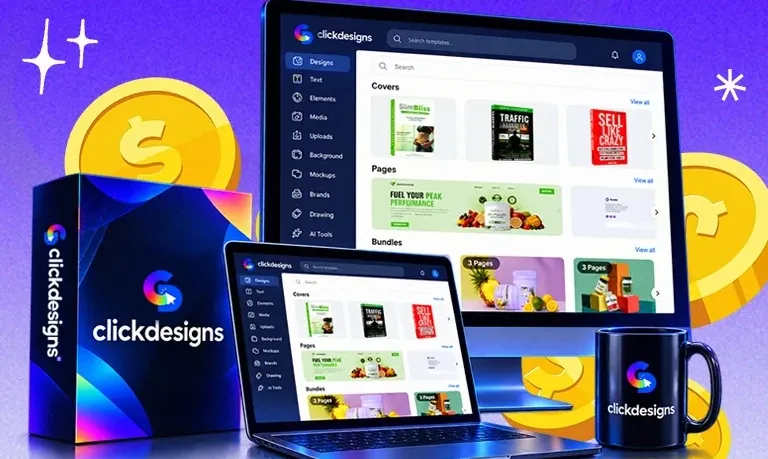
This ClickDesigns X review covers the $37 launch offer from creator Mo Latif and team, sold through JVZoo with five upsells and a $397 bundle behind it. It is based on the official sales/JV material and the official demo video — I did not buy a paid account, so vendor claims are labelled as claims throughout.
Quick Verdict on ClickDesigns X
Best for: marketers, authors, course creators and sellers who need a steady stream of covers and mockups without a designer or AI prompt roulette.
Main caution: a launch funnel with five upsells, and the Maximizer upgrade exists to “remove every limit” — the exact front-end caps are undocumented, so confirm limits before assuming $37 is enough.
Bottom line: the documented feature set is unusually complete for the price, and the demo supports the core workflow. With no hands-on data, treat conversion claims as vendor claims.
ClickDesigns X Quick Overview
| Fact | Detail |
|---|---|
| Product | ClickDesigns X (graphics, mockups, 3D visuals) |
| Vendor / creator | Mo Latif et al. (footer: BlackChillies FZE) |
| Launch date / platform | 13 October 2026 / JVZoo |
| Front-end price | $37 one-time |
| Bundle price | $397 listed; $297 with CDX100 coupon |
| Guarantee | 30-day money-back guarantee (both offer pages) |
| Best for | Non-designers who need sellable visuals on demand |
| Main caution | Five upsells; FE limits undocumented; temporary pricing |
| Review basis | Research-based: official pages + demo |
| Last verified | 13 October 2026 |
| Editorial score | 4.0 / 5 (research-based, 79/100 — rubric below) |
| Official offer link | ClickDesigns X front-end offer page |
Key Takeaways
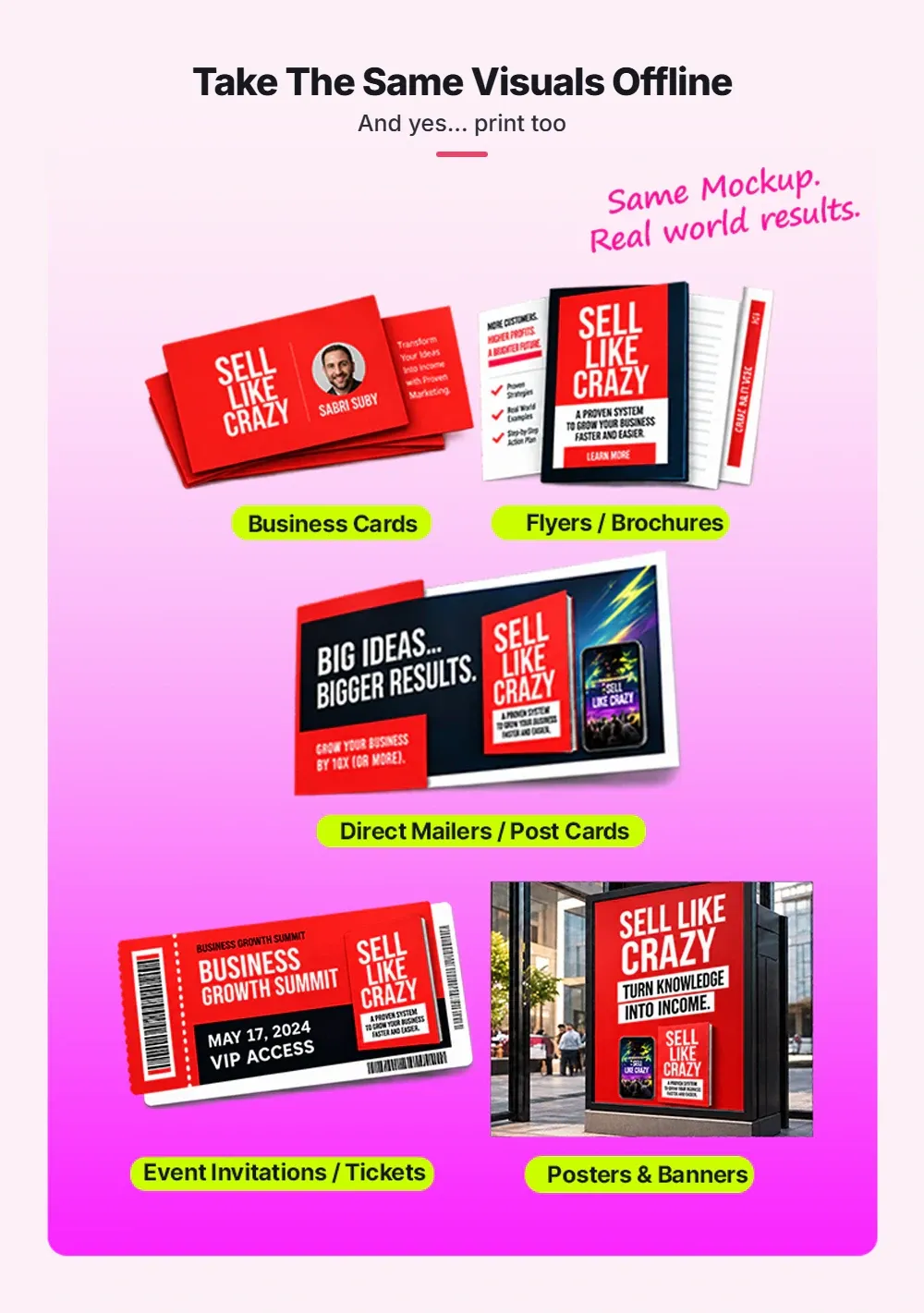
- Strongest documented value: one flat design becomes multiple photorealistic 2D/3D mockups with a commercial licence at $37.
- Most important limitation: the $97 Maximizer removes “every limit” — implying front-end caps whose numbers are unpublished.
- Buyer fit: strongest for non-designers shipping assets constantly; teams need the $197 Agency upgrade.
- FE vs bundle: the bundle ($397, $297 with CDX100) beats the $572 separate total — if you’d use two or more upgrades.
- Verify before purchase: today’s checkout price, subscription status, and refund route.
Table of Contents
What Is ClickDesigns X?
ClickDesigns X is a browser-based design studio pitched as an all-in-one “visual engine” for marketers: a drag-and-drop editor with pixel-level styling, a 3D Product Studio, and 1-click MagicWrap that maps flat artwork onto photorealistic product models.
The front end ships with thousands of done-for-you templates, a large royalty-free media library, 300 DPI export to JPG/PNG/WebP/PDF, integrations with GoHighLevel, Convertri, ProductDyno and Groove.cm, video training, and a commercial licence — running on macOS, Windows and Chrome with nothing to install.
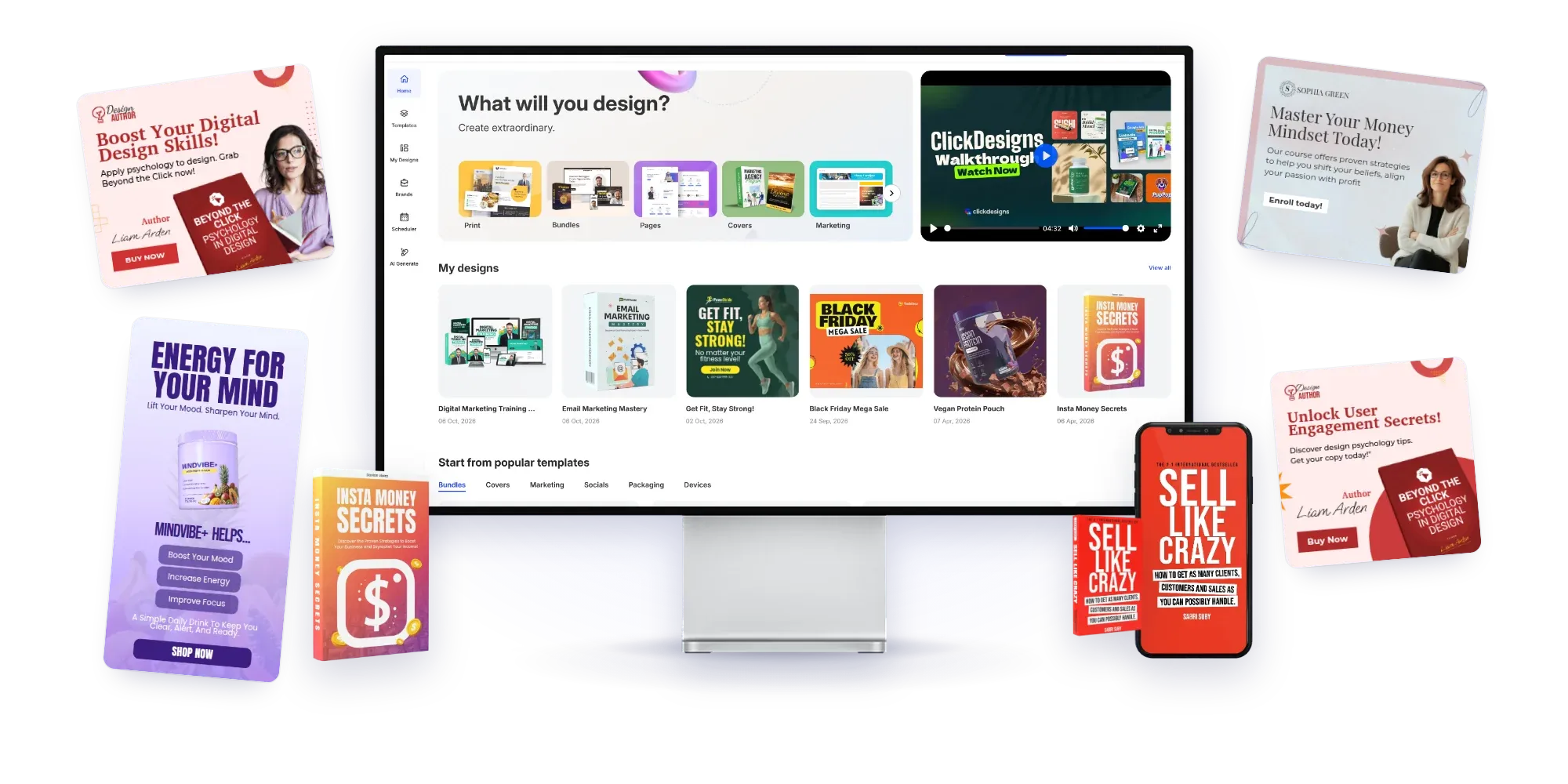
The vendor claims 34,114+ users, a 4.8/5 average from 6,898 reviews, and $28M+ in “design fees saved” — vendor figures we have not audited, so treat them as marketing claims. ClickDesigns X sits in the same JVZoo launch ecosystem as our AI Prospect Genie review, but competes on creative production.
The Real Problem It Tries to Solve
The pitch: online buyers cannot pick up your product, so visuals carry its perceived value. Flat graphics make good offers look cheap, while dimensional presentations increase attention, credibility and buyer confidence — illustrated on the sales page with imagery centred on a 3D product.
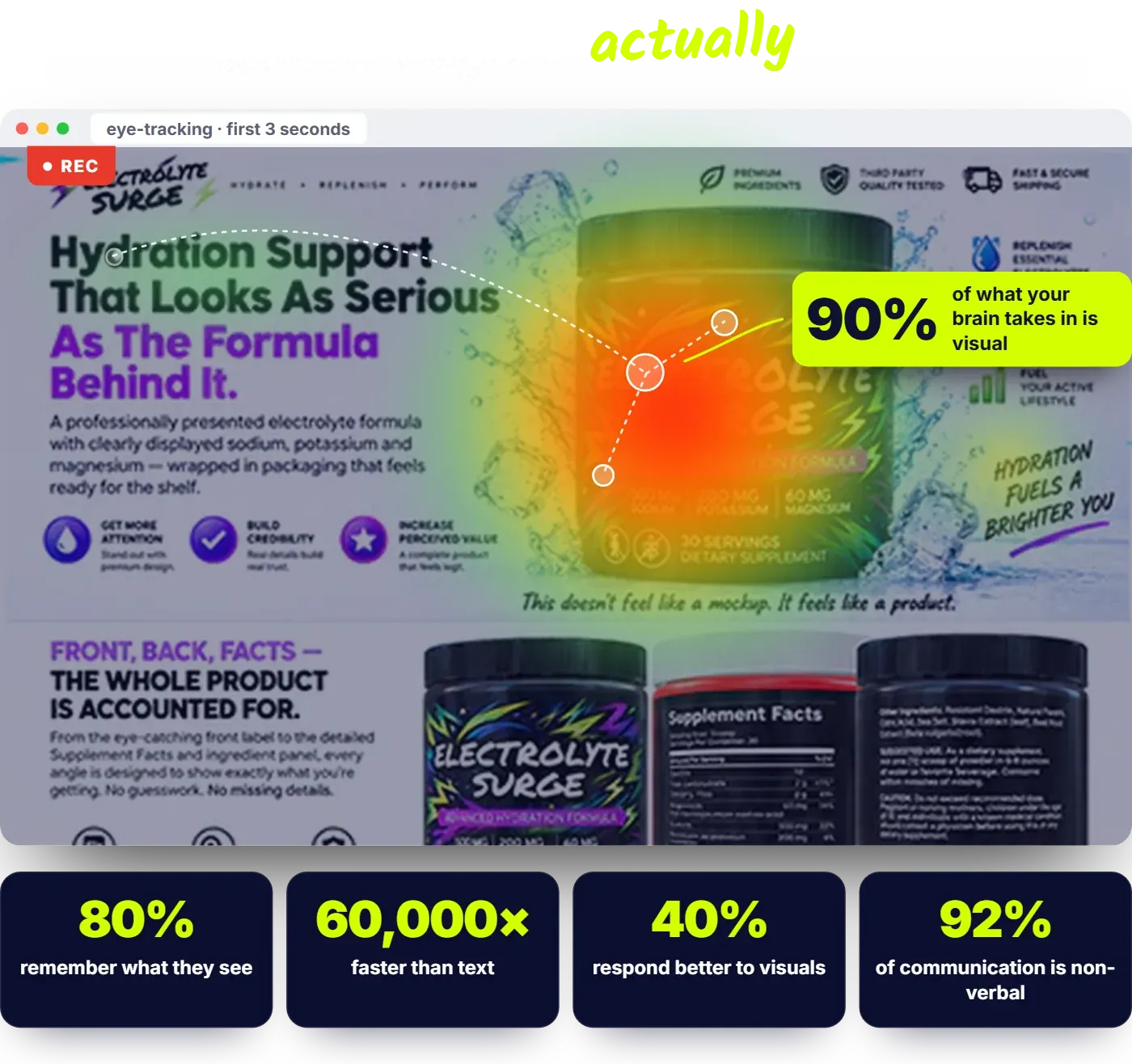
It attacks three expensive alternatives: design tools (skill plus hours per asset), AI image generators (“prompt roulette” — regenerate until logos and text survive), and freelancers (briefing, waiting, revisions, invoices). The implication: its value hinges on whether template-plus-MagicWrap output is good enough for your niche — which the demo below lets you judge before spending anything.
Who It Is For — and Who Should Skip It
The sales page targets entrepreneurs, social media marketers, software creators, bloggers, course creators, funnel designers, authors, publishers and eCommerce owners — anyone who regularly needs covers, mockups, bundle graphics and social visuals without paying per asset.
It likely fits you if you launch or promote offers frequently, sell on Amazon/Etsy/Shopify, publish books, or serve clients — the commercial licence turns output into billable work. Beginners are in scope, and the demo supports the “Canva-simple” framing.
You should probably skip it if you need heavyweight photo editing, vector illustration or offline workflows. Reconsider if you expect unlimited usage without an upgrade. And if you want AI to invent new imagery, note that MagicWrap wraps your existing designs — AI generation is an upsell feature.
How ClickDesigns X Works
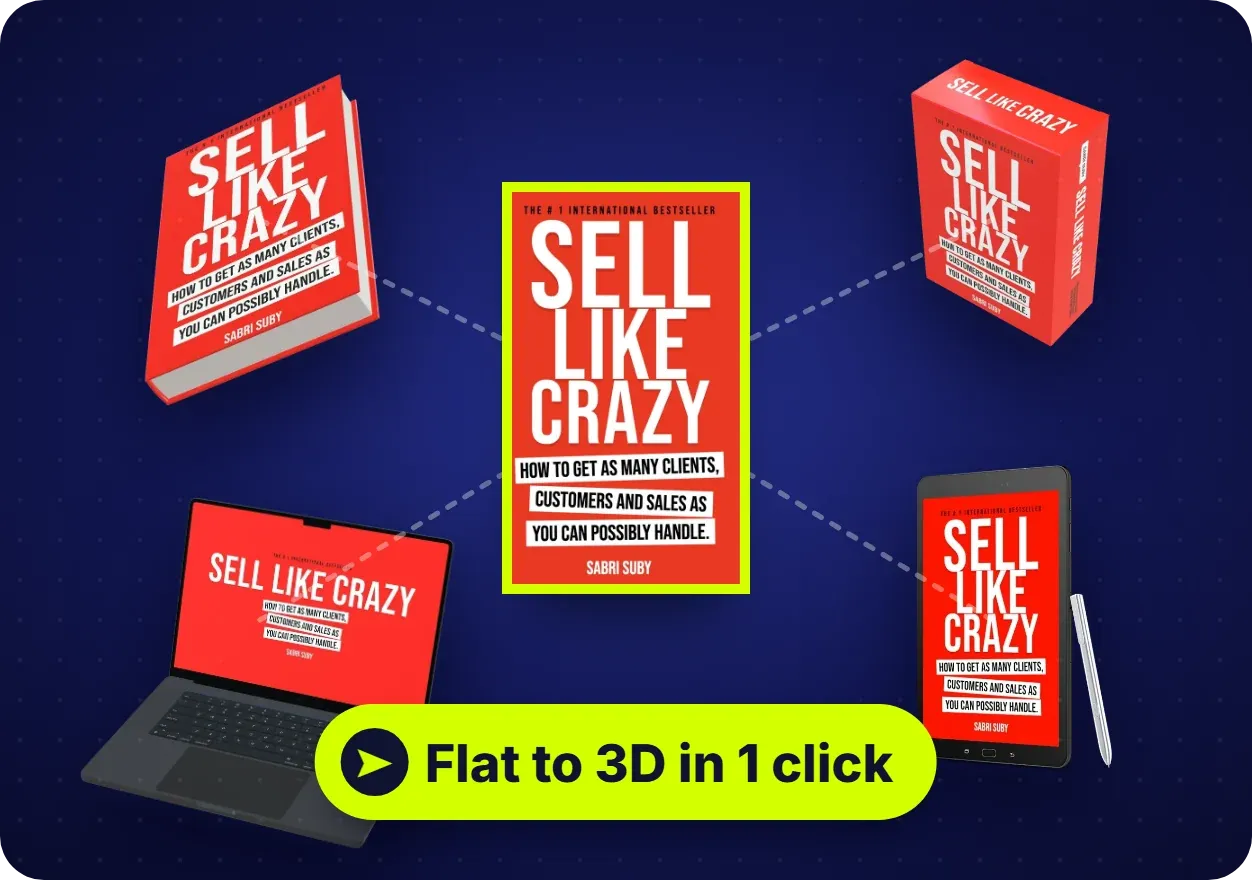
The documented loop is customize, automate, profit. Start from a template, your own upload or a blank canvas; adjust text, fonts, colours and layers; then send the flat design to the mockup engine. MagicWrap maps the artwork onto the model, and the 3D Product Studio lets you spin, tilt and zoom to capture the angles you want.
From there, one design fans out into stacks, box shots, device screens and bundle scenes without rebuilding the artwork. The official demo shows exactly this loop.
Proposed buyer evaluation (hypothetical, not a test)
A self-published author with one flat cover would sensibly test: wrap it into a hardcover angle, a three-book stack and a tablet screen; export at 300 DPI; then judge whether the results look premium next to competing listings. The 30-day guarantee is the window to verify quality.
ClickDesigns X Demo Walkthrough (Official Video)
The video below is the official front-end demo supplied with this review pack (6:16). Everything described is what the recording visibly shows; presenter claims are not facts.
Official vendor front-end demo (540p, 6:16).
Demo checkpoints and timestamps
- 0:00–0:20 — The dashboard loads (“What will you design?” plus Print, Covers, Bundles, Socials and Marketing categories), then the editor opens on a flat book-cover template.
- 0:30–1:20 — The view switches to 3D mockups: a bundle scene (books, laptop, tablet, phones) with Mockup 3D / Full Mockup / Mockup Video toolbar options, and shadow, reflection and lighting sliders as a book rotates.
- 1:30–2:10 — The Background panel (Color / Image / Gradient) opens, and a right-click menu exposes Copy, Download, layer ordering and “Send to Mockup” — the 2D-to-3D bridge.
- 2:20–4:00 — The artwork appears on a laptop and an iPhone, design intact as the phone rotates; the Group Mockup scene (Page 1/2) is then restyled with a background gradient.
- 4:10–4:50 — The gallery shows Print, Covers, Bundles, Socials and Logos; a “Collagen Builder” supplement label template opens in the editor.
- 5:00–6:10 — The Devices category shows monitor, tablet and phone mockups; further categories cover ebooks, magazines, workbooks, logos and funnels; the bundle mockup reopens (Pages 2/2).
What the demo does not show: exports, rendering times, external publishing, AI features, limits or pricing.
Feature Analysis: What Each Documented Feature Means for Buyers
Drag-and-drop editor with pixel-level controls
Documented: point-and-click editing with fine control over colours, fonts, shadows and positioning, plus layer management and multi-canvas projects — the surface you touch daily. Unverified: responsiveness on large projects. Best for: beginners and tinkerers.
1-Click MagicWrap and the 3D Product Studio
Documented: flat artwork is automatically mapped onto 3D models, then spun, tilted and zoomed with lighting and material effects — demonstrated on books, laptops and phones. Unverified: how the wrap handles odd artwork. Best for: sellers needing physical-feeling proof.
Mockup library plus template and media vault
Documented: 2D/3D series covering books, software boxes, laptops, tablets, phones, watches, supplement tubs, bottles, droppers and bundle scenes; thousands of DFY templates; a large royalty-free library. Unverified: exact model counts and stock-licence terms for resale. Best for: covered-niche marketers.
Exports, formats and integrations
Documented: import your own designs; export up to 300 DPI in JPG, PNG, WebP or PDF; send designs to GoHighLevel, Convertri, ProductDyno and Groove.cm — print-ready output, no download-upload loops there. Unverified: deeper integrations beyond downloads. Best for: users of those builders.
Commercial licence, training and support
Documented: a commercial profit licence (sell your graphics, keep the profits), video training, and an in-house support team — the tool doubles as a service-business vehicle. Unverified: the licence document, client-project limits, and support response times. Best for: freelancers and first-timers.
Evidence and Claim Check: What the Demo Does and Does Not Prove
The demo proves the workflow exists as described: flat design in, 3D mockups out, angles captured, backgrounds restyled, templates browsed. It does not prove speed, consistency across projects, or long-term stability.
Separately, the sales page advances conversion claims: an author testimonial citing a 31% conversion increase, a flat-versus-3D scroll comparison, and aggregate figures (34,114+ users, 4.8/5 from 6,898 reviews, $28M+ saved) — vendor claims we could not verify. Customer quotes from Elizabeth Gray and John Hooks are traceable to the vendor’s page — the vendor’s selection, not our measurement.
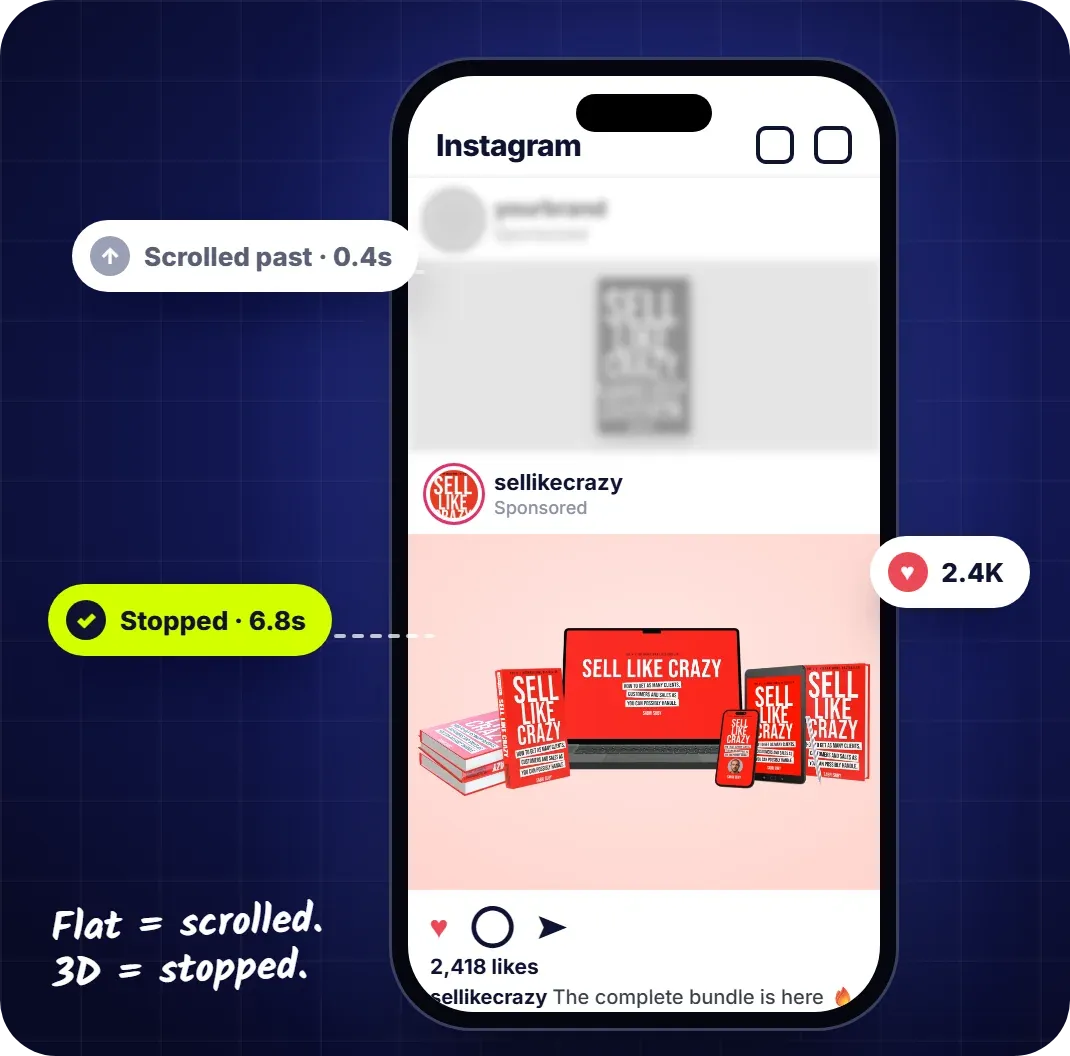
The summary: the mechanics are demonstrated; the outcomes are claimed. If outcomes drive your decision, use the 30-day guarantee as your verification window instead of trusting marketing figures.
Practical Limitations, Dependencies and Unknowns
- Front-end caps are undocumented. The Maximizer pitch implies limits on projects, designs or downloads — no numbers supplied.
- Launch pricing is temporary. The special price “will switch to monthly subscription without notice,” per the page.
- Web-based only. macOS, Windows and Chrome via the browser; no offline mode is mentioned.
- AI features sit behind upgrades. AI ad generation and social writing belong to AI Turbo and ClickSocials X.
- Team and client features are gated. Brand kits, client folders and watermarking live in the $197 Agency upgrade.
- Social publishing is an upsell. Scheduling and posting require ClickSocials X.
- Unknowns we will not fake: server reliability, batch-export speed, stock-asset licence text, refund routing, integrations beyond the four named builders.
Pros and Cons of ClickDesigns X
Pros
- Demo-backed core workflow: flat design to multi-angle 3D mockup in one click.
- Commercial licence included at the $37 front end.
- Broad mockup coverage: books, software boxes, devices, supplements, bundles.
- One-time launch pricing with a stated 30-day money-back guarantee.
- Exports up to 300 DPI (JPG, PNG, WebP, PDF) cover print and web use.
Cons
- Front-end usage limits are unpublished; the unlimited tier is a $97 upgrade.
- Five upsells make the full system materially more expensive.
- Launch price is explicitly temporary and can switch to subscription.
- Value-stack figures ($14,870 / $85,249) are marketing constructs.
- AI generation and social posting are upsell features, not front-end ones.
ClickDesigns X Pricing and Funnel Breakdown
Front end: the JV material lists the launch price at $37 one-time. The sales page shows $67 struck to “JUST $37” beneath a “regular $97/month” anchor — a launch-window price that can switch to subscription without notice.
| Funnel step | Price | Documented inclusion |
|---|---|---|
| FE — ClickDesigns X | $37 | Editor, MagicWrap, 3D studio, mockups, templates, licence, training. |
| OTO1 — Maximizer | $97 | Unlimited projects, designs, downloads; 10,000+ templates; print output; FDA labels. |
| OTO2 — ClickSocials X | $77 | Social planning, scheduling, publishing; 2,000+ templates; AI Social Writer. |
| OTO3 — 3D Design Studio X | $97 | Interactive 360° mockups, cinematic videos, GIFs, live 3D embeds. |
| OTO4 — Agency | $197 | Teams, brand kits, client work, watermarking, hosting, extensions. |
| OTO5 — AI Turbo | $67 | Keyword or URL becomes auto-sized ads, banners, social posts. |
| Complete Bundle | $397 → $297 | Front end + all five upgrades + 37 launch bonuses + commercial rights. |
Offer note: prices are as listed in the official launch material on 13 October 2026 and are vendor-controlled — verify at checkout. The 30-day money-back guarantee is the vendor’s stated policy (the bundle page names support@clickdesigns.com). Nothing here is an income promise; testimonial results are individual statements, not typical outcomes.
Front-end vendor bonuses are listed in the vendor bonuses section below.
Front-End vs Bundle: Which Purchase Makes Sense?
The ClickDesigns X bundle prices the whole funnel ($572 bought separately) at $397 list — $297 with CDX100 — and adds 37 launch bonuses. On arithmetic it is the cheapest path to every feature; on buyer logic it only wins if you would genuinely use two or more upgrades.
| Consideration | Front End ($37) | Bundle ($397 → $297) |
|---|---|---|
| Core editor + 3D mockups | Included | Included |
| Usage limits | Undocumented | Unlimited (Maximizer) |
| Social scheduling | No | Yes (ClickSocials X) |
| Live 3D / AI ads | No | Yes (3D Studio X / AI Turbo) |
| Team/client tooling | No | Yes (Agency) |
| Best for | Testing, light use | Frequent creators, clients |
Our fit-based read: buy the front end first if unsure — the guarantee lets you judge output before committing further. Choose the bundle only when the use cases above are on your calendar; these are launch-window terms that may not persist.
ClickDesigns X OTO Buying Guide
Every upsell below is documented from the official funnel description at its listed price; fit calls are editorial, not commission-ranked.
OTO1 — Maximizer ($97)
Inclusion: unlimited projects, designs and downloads; 10,000+ premium templates, DFY logos, covers, publishing sizes, print output, FDA labels. Limitation removed: the undocumented front-end caps. Needs it: weekly producers. Skips it: light users. Unresolved: where the caps sit.
OTO2 — ClickSocials X ($77)
Inclusion: plan, design, schedule and publish to social networks from inside the dashboard; 2,000+ templates in 44 sizes; AI Social Writer. Needs it: social-first marketers. Skips it: website-only buyers. Unresolved: network and account limits.
OTO3 — 3D Design Studio X ($97)
Inclusion: interactive 360° experiences buyers can spin and zoom; cinematic videos; auto-loop GIFs; live 3D embeds with hosting; Full HD export (MP4, WEBM, MOV, GIF). Needs it: sellers who want motion on pages. Skips it: static-mockup buyers. Unresolved: rendering time and file sizes.
OTO4 — Agency ($197)
Inclusion: agency licence; up to 10 team members; collaboration; client folders; bulk downloads; watermarking; brand kits; review access; unlimited hosting; Chrome/WordPress extensions. Needs it: freelancers billing design work. Skips it: solo operators. Unresolved: if client seats are view-only.
OTO5 — AI Turbo ($67)
Inclusion: a keyword or URL becomes ready-to-launch ads, banners and posts; variations; 13 sizes from one ad; split-test modes; multi-platform publishing. Needs it: media buyers needing variants. Skips it: mockup-only buyers. Unresolved: output quality — no AI generation appears in the demo.
Proposed buyer example (hypothetical, not a test)
A freelance designer would rationally shortlist Maximizer plus Agency ($331 total) — only $34 above the couponed $297 bundle. Total your realistic upgrade stack before choosing.
Total Funnel Cost
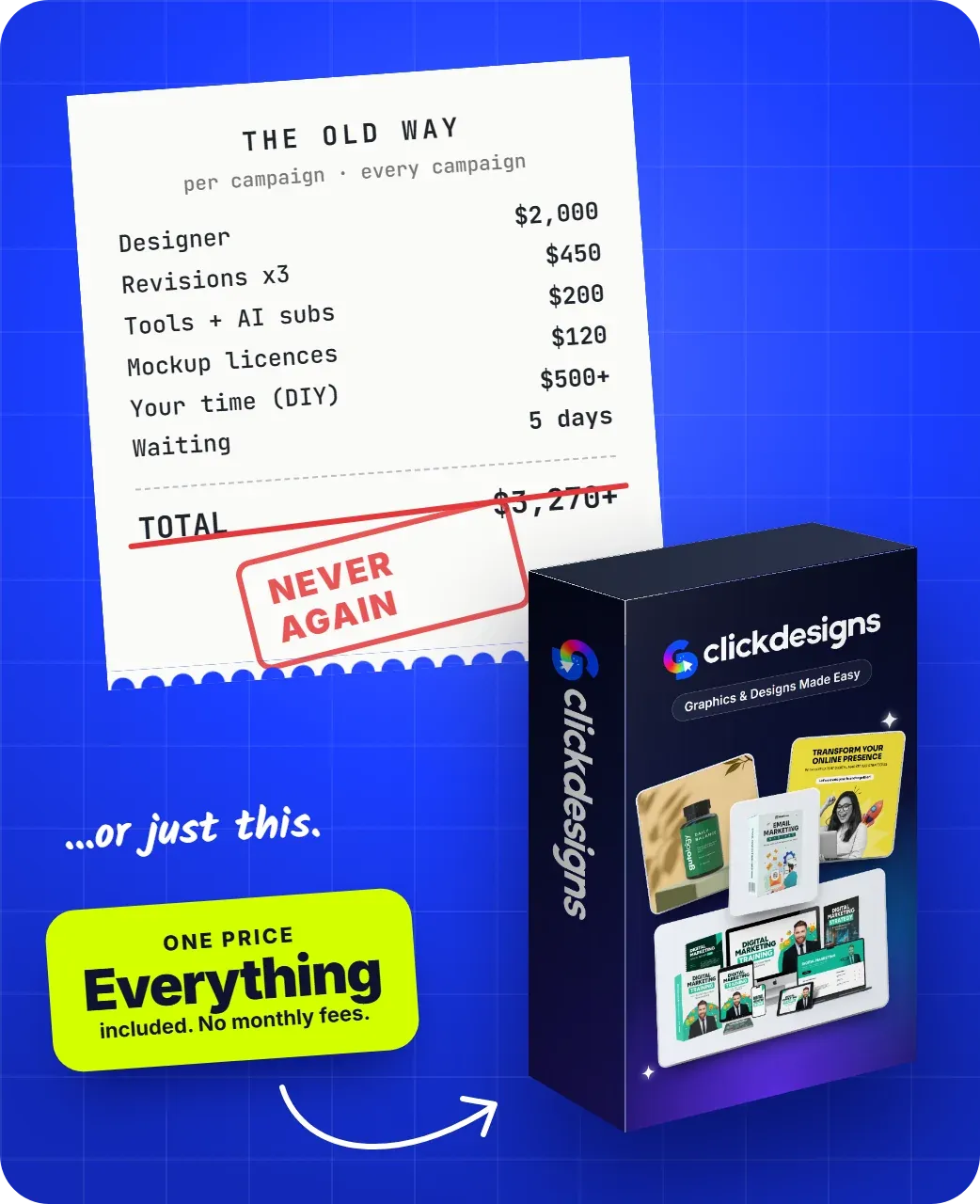
Buying every step separately at listed launch prices: $37 + $97 + $77 + $97 + $197 + $67 = $572, matching the JV page’s figure. The $397 bundle saves $175; the couponed $297 saves $275 — assuming CDX100 remains valid and is redeemed.
No other recurring fees appear in the launch material. If the front end later switches to the “regular $97/month” anchor, this comparison changes — another reason to verify today’s checkout terms.
Vendor Bonuses (Included by the Vendor)
The official pages attach these to the front end: a Custom Product Bundle Creator (listed at $997 value), 1,000s of Custom Logos (listed at $497 in the value stack), training, and the vendor’s support team. The bundle adds 37 launch bonuses — five extra software tools plus 32 upgrade bonuses valued by the pages at $24,010.
Two cautions: “value” figures are the vendor’s marketing numbers, not verified prices; and one sales-page section lists the logo bonus at $397 while the value stack says $497 — we use $497 as it appears twice. We also provide a 280+ buyer bonus library for qualifying purchases through our link; see the bonus section near the end of this review.
ClickDesigns X Alternatives: How Should a Buyer Choose?
No competitor prices or feature tables were supplied, so instead of inventing a comparison, here is a selection guide by buyer situation — verified dimensions only.
| If your main need is… | Consider | Why (documented logic) |
|---|---|---|
| Everyday general-purpose graphics | The template editor you already use | Strong breadth, but flat output. |
| Full manual control of 3D renders | Blender-class 3D software | Total control, at the cost of a steep learning curve. |
| Novel AI-generated imagery | AI image generators | Fast ideation, but “regeneration roulette” is commonly reported. |
| DFY product mockups from your own design | ClickDesigns X | The demonstrated wrapper keeps your exact artwork across angles. |
The fair way to decide: if your bottleneck is turning your own designs into dimensional presentations, the demonstrated workflow targets exactly that. If your bottleneck is inventing new artwork, the AI upsells that partially address it are of unproven quality.
Buyer Scenarios: Which Option Fits Which Reader
The author or course creator. You need a cover, a device shot and a bundle image for one launch, then go quiet for months. The $37 front end covers this; judge output inside the guarantee window.
The freelance designer or agency starter. You produce client assets weekly and need brand kits, folders and watermarking — documented only in the Agency upgrade. The couponed $297 bundle usually beats your separate-purchase stack.
The social-first small business. Your bottleneck is posting consistency, not mockups. ClickSocials X ($77) addresses scheduling — or compare your scheduler’s cost against $77 one-time.
The skeptic with a small budget. Watch the demo, list the three graphics you need most this month, and check whether the gallery covers them — the guarantee lets you verify rather than trust.
Pre-Purchase Checklist
- Confirm today’s front-end price at checkout — the $37 launch price is vendor-controlled.
- If you expect heavy usage, ask support where the front-end caps sit.
- Decide your bundle stance first: total the upgrades you would use against $297.
- Read the current refund terms and note the support email named at checkout.
- Check licence wording if you will resell designs containing stock assets.
- Verify the CDX100 field appears at bundle checkout and matches $100.
Frequently Asked Questions
Did you buy and test ClickDesigns X for this review?
No. This is a research-based review built on the official sales and JV pages, funnel documentation, and the official demo video. We did not use a paid account.
What does the front end cost?
The JV material lists it at $37 one-time during launch. The sales page displays $67 struck to $37 under a “regular $97/month” anchor and warns the price can switch to subscription without notice — checkout is the only reliable source.
How many OTOs are in the funnel?
Five: Maximizer ($97), ClickSocials X ($77), 3D Design Studio X ($97), Agency ($197) and AI Turbo ($67) — $572 with the front end. The bundle packages everything at $397, or $297 with CDX100.
Can I sell the designs I create?
The front end includes a commercial profit licence, and the sales page says you keep 100% of what you charge. The licence fine print on stock assets and refunds is not supplied, so confirm with support.
What is the refund policy?
Both offer pages state a 30-day money-back guarantee, and the bundle page instructs buyers to email support@clickdesigns.com within 30 days. Refund routing specifics are not documented.
Final Verdict: ClickDesigns X Review Summary
ClickDesigns X is one of the more coherent launch offers we have analysed: the demo substantiates the headline workflow, the $37 front end includes a commercial licence, and the guarantee gives cautious buyers a verification window.
The caveats: five upsells push the complete system to $572 bought separately, the front end’s limits are implied but unpublished, the launch price is explicitly temporary, and every conversion or savings figure is a vendor claim we could not verify.
Our research-based read: light users should start with the $37 front end and judge output inside 30 days; the bundle is worth it when you would genuinely use two or more upgrades. Frequent creators should price the $297 couponed bundle against their realistic upgrade stack — for most, it is the better buy. Let the demo and the guarantee — not the value stacks — make the final argument.
280+ Exclusive Bonuses — Buyer Bonus Library
Every purchase completed through an eligible link on this page also qualifies for the Nexa Scale AI Review buyer bonus library: 280+ products organised into eight categories, delivered by our team separately from anything the vendor provides.
| Category | What’s inside (summary) |
|---|---|
| Traffic Software Suite | 12 items: Facebook, Instagram, Pinterest, Twitter and Sociquick traffic software, Viral Source, Smart Commenter, Post Viper, Twitter Tornado, 24 Hour Traffic Machines, a traffic training course and Pinterest Traffic Goldmine. |
| Done-For-You Funnels & Campaigns | 10 items: DFY funnels, five high-ticket funnels, DFY campaigns parts 1–2, DFY CPA campaigns and templates, goodwill funnels, and 80+ / 60+ DFY bonus packs. |
| Money-Making Systems & Training | 13 courses and systems, from “From Broke to $100K Per Month” to 1K Daily, $100 Per Day (including the phone edition), arbitrage, solo ads and affiliate-traffic training. |
| CPA Marketing Mastery | 7 items: an advanced CPA course, video case studies, list-building with CPA, CPA Pirate, CPA Freebooter and a first-24-hours guide. |
| Premium Software & Tools | 14 tools: Boomerang Buddy Pro, Kartel Pro, Aurora Pro, Octane Pro, Ecompare, II Stores, FB Quiz Creator, Discount Zone Creator, Pop Up Pro Creator, Vid Chomper, Tube Raider, squeeze-page creators and autoresponders. |
| Social Media & Email Marketing | 8 items: Facebook Ninja, Instagram Wizard, Pinterest marketing software, the 10K Email Manifesto, Headlines That Sell, AdWords retargeting training and pro-version bonuses. |
| Design, Video & WordPress Packs | 7 items: a WordPress builder pack, a graphic/video/design pack, 50 background images, a big bonus bundle, five best-selling products and Enigma early access with licence rights. |
| VIP & Coaching Access | 5 items: private coaching registration, passive-income sources revealed, a crash course, Penny Click on Gurus — Eclipse, and Get Passive Paydays. |
View the complete bonus breakdown
Traffic Software Suite
Facebook Traffic Software · Instagram Traffic Software · Pinterest Traffic Software · Twitter Traffic Software · Sociquick Traffic Software · Viral Source Software · Smart Commenter (FB Comments) · Post Viper · Twitter Tornado · 24 Hour Traffic Machines · Traffic Training Course · Pinterest Traffic Goldmine
Done-For-You Funnels & Campaigns
DFY Funnel (Easiest System Ever) · Goodwill Funnel · 5 Done-For-You High Ticket Funnels · DFY Campaigns Part 1 · DFY Campaigns Part 2 · DFY CPA Campaigns · DFY CPA Templates · My Special Freebie Funnel — Goodwill · 80 DFY Bonuses Pack · 60+ Done For You Bonuses
Money-Making Systems & Training
From Broke to $100K Per Month · $10,000 Per Month System · 1K Daily System · $100 Per Day System · $100 Per Day From Your Phone · Get Fast Cash Five · Money Monster · EZ Passive Paydays · Cash Magnets · 9 Minute Commissions · Simple Arbitrage Method · How to Make Money With Solo Ads · 30% of My Affiliate Traffic $$$
CPA Marketing Mastery
Advanced Course on CPA · CPA Video Case Studies · Fast Profits with CPA · How to Build a List with CPA · CPA Pirate · CPA Freebooter · First 24 Hours CPA Guide
Premium Software & Tools
Boomerang Buddy Pro · Kartel Pro · Aurora Pro · Octane Pro · Ecompare Software · II Stores Software · FB Quiz Creator · Discount Zone Creator · Pop Up Pro Creator · Vid Chomper · Tube Raider · Squeeze Page Creator · Autoresponder for Peanuts · My Autoresponder Contact
Social Media & Email Marketing
Facebook Ninja · Instagram Wizard · Pinterest Marketing Software · 10K Email Manifesto · Headlines That Sell · Adwords Retargeting Training · Kartel Pro Version · Goodwill Pro Version
Design, Video & WordPress Packs
WordPress Builder Bonus Pack · Graphic, Video and Design Bonus Pack · 50 Background Images · Big Bonus Bundle · 5 Best Selling Products · Early Copy of Enigma · Enigma License Rights
VIP & Coaching Access
Private Coaching Registration · My Passive Income Sources Revealed · Crash Course · Penny Click on Gurus — Eclipse · Get Passive Paydays
Bonus eligibility and delivery: only purchases completed through an eligible affiliate link on this review qualify. Proof of purchase (your receipt) may be requested; after verification, bonuses are delivered by email within 24–48 hours. For bonus claims and support, email hello@nexascaleaireview.com. This library is provided by Nexa Scale AI Review and is separate from the vendor’s core product and vendor bonuses. “Exclusive” means this package is offered to qualifying purchasers through this site’s eligible links, not that every underlying product is unavailable elsewhere. Product and course titles that mention dollar amounts are names, not earnings claims — no income is guaranteed.
Sources and Research Method
This review was produced by analysing the official ClickDesigns X sales page, the official bundle page, the public JV page and JV document, the official front-end demo video (6:16, examined scene by scene with timestamps), and the funnel summary supplied to this site. Vendor claims, marketplace figures and customer testimonials were classified as claims and quoted with attribution; independently checkable facts (published prices, funnel structure, guarantee wording, platform) are stated as listed on 13 October 2026. No paid account was purchased or used, and no testing beyond the supplied demo was performed.
About the Reviewer
Aakif Kausar is the editor behind Nexa Scale AI Review’s launch-software reviews. He evaluates official sales and JV materials, vendor demonstrations, funnel pricing, licensing information, documented limitations, and buyer fit to help readers make clearer purchase decisions. Unless a review explicitly states otherwise, the analysis does not claim long-term use of the paid product. Nexa Scale AI Review welcomes factual corrections through its Contact page; you can also read more on the About page.
Last Verified / Correction Note
Prices, funnel steps, bonus listings and guarantee wording in this review were last checked against the official material on 13 October 2026. Launch offers change without notice. If you spot a factual error or an outdated price, send it via the Contact page and we will verify and correct it.