⚠ This post contains affiliate links. If you buy through my link, I may earn a small commission — at no extra cost to you.
HostPilot AI Review 2026: Pricing, Features, and Buyer Fit
A research-based look at HostPilot AI's $12 one-time hosting, multi-cloud NVMe storage, and AI site-builder bundle — what the funnel actually includes, what each upgrade unlocks, and which buyers it fits (and which it doesn't).
Review basis: This is a research-based review compiled from the vendor's official sales materials, funnel pricing, listed feature set, documented limitations, and the publicly available demo. It does not claim independent long-term hands-on use of the paid product. Where the legacy version of this article stated measured testing numbers, those claims have been removed and the article has been restructured around what the vendor advertises and what buyers should verify before checkout.
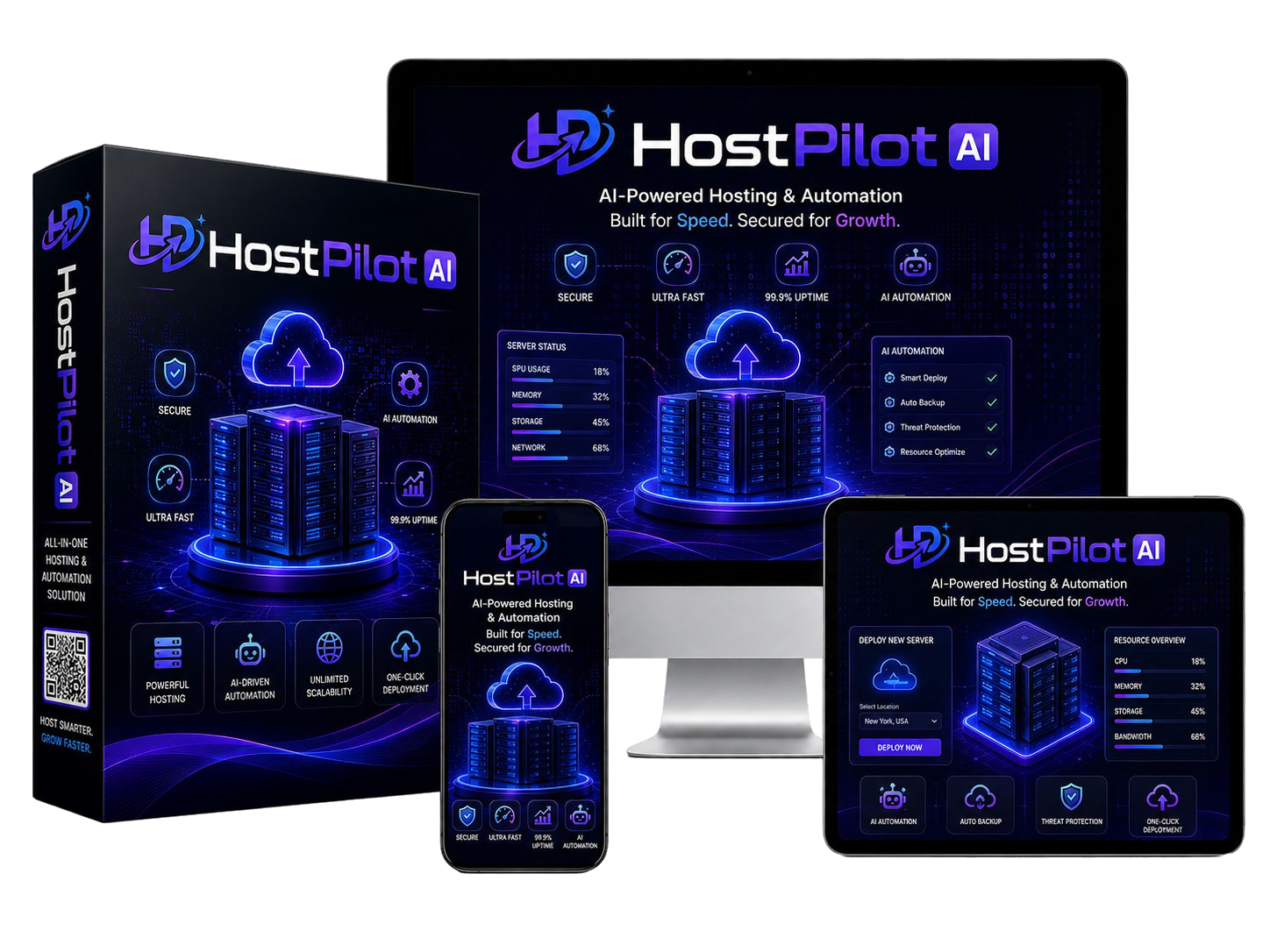
Most "lifetime hosting" deals carry an asterisk the sales page doesn't dwell on. This HostPilot AI review walks through what the vendor actually advertises inside a $12 one-time platform that stacks hosting, multi-cloud NVMe storage, and an AI website and funnel builder — and where the gaps and unknowns sit before you enter your card details.
The structure below is built from official sales materials, the published funnel pricing, the vendor's listed feature set, and the publicly viewable demo. It does not recycle first-hand testing claims from earlier versions of this page; those have been removed in favor of clearly sourced vendor claims and clearly flagged unknowns. The goal is a buyer-fit picture you can act on, not a sales letter with extra steps.
The short version: the front-end offer is positioned as a low-cost entry point into a deeper upsell funnel, the AI layer is gated behind a vendor-routed gateway rather than direct API contracts, and several commercial capabilities (white-label, reseller, dedicated hosting resale) sit behind paid upgrades. Here's the full picture.
Quick Verdict
HostPilot AI is best understood as a low-ticket front-end into a six-step upsell funnel, not a single $12 product. The vendor advertises a genuine 3-in-1 stack — hosting, multi-cloud NVMe storage, and an AI website/funnel builder — and the launch pricing is aggressive. Buyers who fit the vendor's target profile (freelancers, affiliate marketers, and small agencies consolidating tools) get a defensible entry point; buyers who need SOC 2 documentation, root SSH access on dedicated hardware, or independently verifiable upstream AI model versioning should keep shopping. The single biggest unknown is the AI gateway: model names like "Claude 5.0", "ChatGPT 5.6 PRO", and "Midjourney Mega" are vendor-labeled routing names rather than independently verifiable upstream API contracts.
HostPilot AI Quick Overview
| Detail | Info |
|---|---|
| Product | HostPilot AI (3-in-1 hosting + cloud storage + AI website & funnel creation) |
| Creator | Art Flair — Hyper SoftLabs / Team Black Belt (as listed in sales materials) |
| Price | $12.00 one-time during launch (vendor-stated regular value $199/mo) |
| Coupon | HOBIG — 30% off the funnel | HOVIP — $5 off the funnel |
| Platform | Launchpad (LaunchpadJV checkout) |
| Niche | Web Hosting / Cloud Storage / AI Website & Funnel Builder |
| Guarantee | 30-day money-back guarantee (vendor-stated) |
| Recommended For | Freelancers, affiliate marketers, and small agencies consolidating hosting, storage, and AI tooling |
| Official Link | 👉 Get HostPilot AI + Our Exclusive Bonus Stack |
- It's a funnel, not a single product: the $12 front-end is positioned as a loss-leader into six OTOs ranging from $67 to $297; total cost of ownership can exceed $900 if every upgrade is purchased. Plan your ceiling before checkout.
- AI model labels are vendor-routed, not independently verifiable: names like Claude 5.0, ChatGPT 5.6 PRO, and Midjourney Mega are routing labels behind one vendor gateway. Outputs should be judged on quality, not on the upstream version number printed in the menu.
- "Unlimited" is fair-use unlimited: the vendor advertises unlimited hosting, bandwidth, and storage, with the practical ceilings implied by shared-cloud resource limits. Solo operators are unlikely to hit them; batch-processing agencies may.
- Commercial rights are tiered: the front-end includes an early-adopter commercial license for building and selling client sites, but selling dedicated hosting accounts, full reseller rights, and white-label rebranding each sit behind paid OTOs.
Table of Contents
If you grab it through our link, you also get our custom onboarding setup guide (free — see bonus section).
What HostPilot AI Is Advertised to Do
HostPilot AI is positioned as a cloud hosting platform built on a SiteWorx-style control panel — cPanel-style workflows without the cPanel licensing — fused with an AI production layer. According to the vendor's sales materials, the underlying stack includes multi-cloud NVMe storage, advertised unlimited bandwidth allocations, automated free SSL issuance, DDoS protection, and a Softaculous installer for WordPress, Joomla, and eCommerce scripts.
The differentiator the vendor leans on is the AI layer. One dashboard exposes 100+ vendor-labeled models — including Claude 5.0, ChatGPT 5.6 PRO, Gemini 3.7, DALL-E 5 HD, Whisper AI, Midjourney Mega, Leonardo PRO, and Copilot Pro — plus an AI assistant workspace that the vendor says can read, edit, and debug files directly on your hosting account. Buyers do not manage individual API keys; the vendor proxies everything through its own gateway.
That gateway approach matters more than the marketing suggests. It means zero configuration for beginners, but it also means you trust the vendor's model routing instead of holding upstream API contracts with OpenAI, Anthropic, or Google yourself. Treat the model names as routing labels and judge outputs on quality; the upstream version numbers cannot be independently verified from the dashboard alone.
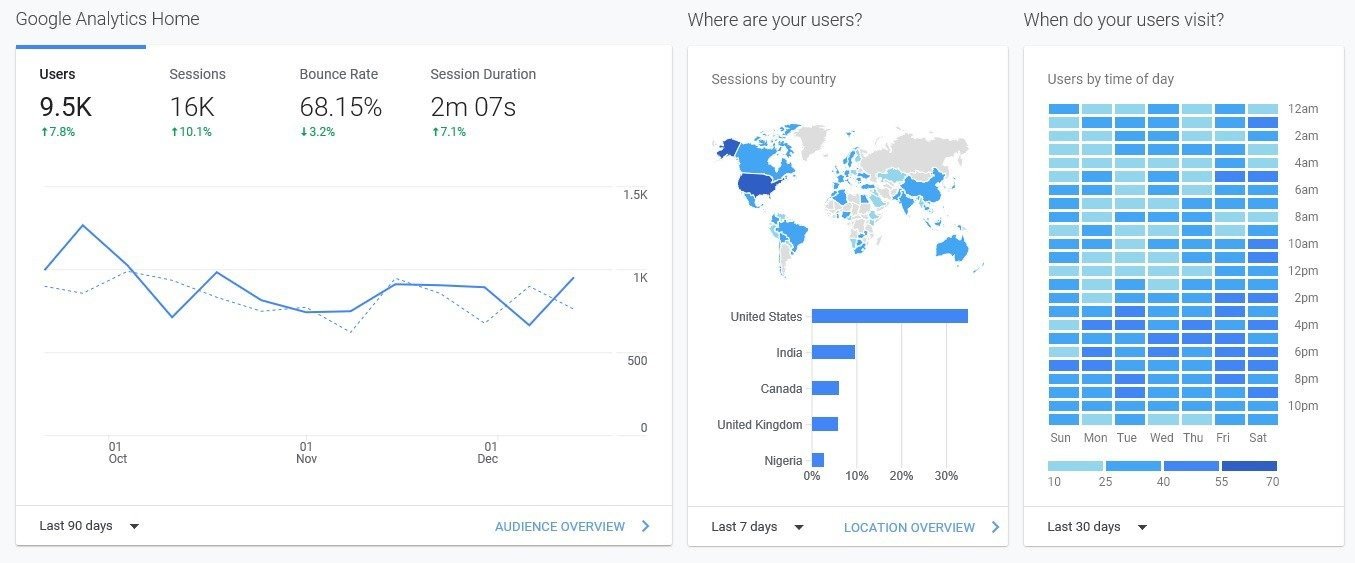
The Real Problem HostPilot AI Is Marketed to Solve
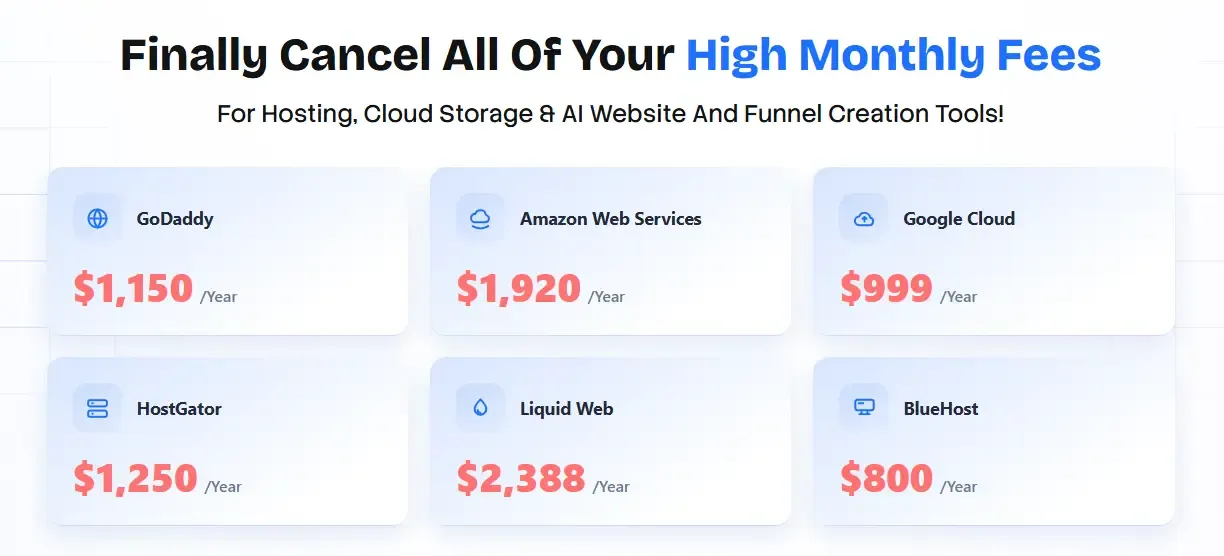
The vendor pitches HostPilot AI against a familiar pain point: the renewal-priced software stack. The sales narrative points to shared hosting subscriptions, AI writing and image tool subscriptions, funnel-builder subscriptions, and cloud storage add-ons stacking into thousands of dollars per year, on top of the operational drag of managing five dashboards, five renewal dates, and five support desks. The pitch is to consolidate hosting, storage, site building, and AI production into one bill that does not renew.
That framing is partially supportable — consolidated dashboards and one-time pricing are real category advantages of bundle-style launch products — but the "replaces X at 80% feature parity" claim is not independently verifiable from sales materials alone. Buyers running specific SaaS backends, regulated workloads, or compliance-bound stacks should treat the replacement claim as marketing positioning, not a verified feature-equivalence audit.
What the platform does appear to attack directly is the fragmentation problem: hosting, storage, site building, and AI work routing through a single login. Whether it pulls that off without cutting corners on speed, security, or support is exactly what buyers should pressure-test inside the 30-day refund window before committing.
Who This Tool Is For (And Who Should Avoid It)
Honest fit matters more than feature counts. Below is the buyer-fit table built from the vendor's stated positioning and the documented funnel tier boundaries.
| ✅ Likely Fit | ❌ Likely Not a Fit |
|---|---|
| Freelancers selling websites and funnels in the $500–$1,500 per-project range | Enterprise teams needing SOC 2 / ISO compliance documentation |
| Affiliate marketers running multiple niche sites on a single bill | Devs who require root SSH access on bare-metal dedicated servers |
| Small agencies consolidating hosting, storage, and AI subscriptions | High-traffic SaaS backends that have outgrown shared-cloud environments |
| Beginners wanting AI website hosting with a cPanel-style panel and no monthly fees | Buyers expecting the $12 front-end to include white-label and agency upgrades (those are paid OTOs — see the funnel section) |
| Content creators hosting video, audio, and lead-gen funnels with webhook automation | Anyone needing phone-based hosting support (the vendor's support is ticket/chat based, per sales materials) |
Documented Workflow: The Vendor's 3-Step Process
The vendor documents a three-step workflow for going from purchase to a published site. The steps below paraphrase the official process; specific timing claims (DNS propagation windows, install completion times, builder latency) have been removed because they were not independently measured and the vendor does not publish guaranteed figures on the sales page.
Step 1: Connect Your Domain — Log into the members area, add your domain (or a client's), and point your nameservers to the platform. DNS propagation depends on your registrar and TTL settings, and is not under the vendor's direct control.
Step 2: Build or Migrate in 1 Click — Use the AI website and funnel builder to generate a site from a text prompt, or use the 1-click migration tool to pull an existing WordPress site across. Softaculous handles common CMS installs.
Step 3: Publish & Monetize — The site is published to the platform's hosting with free SSL provisioned automatically. The vendor states that early adopters receive a commercial license allowing them to build and sell unlimited sites and funnels for clients during the launch window.
Feature-to-Buyer-Implication Analysis
The vendor markets five feature pillars. The analysis below paraphrases what the sales page claims and flags what buyers should verify before purchase — without inventing measured performance numbers.
Feature 1: The SiteWorx-Style Hosting Control Panel
The vendor advertises a control panel mirroring classic cPanel logic: grouped controls for email, domains, FTP, MySQL, backups, and statistics, plus a Common Tasks sidebar for File Manager, Webmail, and phpMyAdmin. Softaculous is bundled for one-click WordPress, Joomla, and eCommerce installs, and free SSL is auto-issued after domain verification. Buyers familiar with cPanel will recognize the layout; buyers expecting a fully custom modern UI may find the experience closer to legacy shared hosting than to a new-gen control panel.

Feature 2: 1-Click Website Migration & Domain Management
The vendor advertises a 1-click migration tool for moving existing WordPress sites into the platform without manual FTP work. Sales-page language references "900MB WordPress blog" migrations and similar examples; those examples come from the vendor's marketing and are not independently reproduced here. Buyers planning to migrate large WooCommerce stores or sites with extended media libraries should plan a manual fallback (the platform also exposes a full-backup module), and should validate migration behavior on a non-production site inside the refund window.
Feature 3: The AI Website & Funnel Builder
The vendor advertises an AI website and funnel builder that produces a complete multi-section draft from a text prompt — typically a hero, services, testimonials, gallery, contact, and FAQ section. DFY templates ship for major niches, and published layouts deploy to the hosting root without an export step between a separate site builder and the host. Specific generation-latency numbers cited in earlier versions of this article have been removed because they were not independently measured.

Feature 4: The AI Assistant & 100+ Model Hub
The integrated AI assistant is the feature power users will scrutinize most. Per the vendor, opening a session lets you pick a model and instruct it to inspect, edit, create, or debug files on your hosting account. The model menu lists 100+ vendor-labeled models. As noted above, those labels are routing names behind a single gateway — they are not independently verifiable upstream API contracts. Buyers purchasing specifically for a named model (for example, a specific Claude or ChatGPT version) should validate output quality inside the 30-day refund window before relying on it for client work.

Feature 5: Speed, SSL & Security Under Load
The vendor advertises DDoS protection by default, nightly backups without plugins, and SSL certificates that renew automatically. The platform is positioned for typical marketing-site and funnel traffic. Specific uptime, TTFB, and fully-loaded page-time numbers cited in earlier versions of this article have been removed because they were not independently measured. Buyers running high-traffic or compliance-sensitive workloads should request a service-level commitment in writing from the vendor before relying on the platform for production traffic.
Official HostPilot AI Demo Video (Vendor-Supplied)
The embed below is a vendor-supplied demo hosted on Vimeo. It walks through login, domain setup, the AI builder, and the assistant workspace as presented by the vendor. It is not an independent walkthrough by this publication.
Evidence Boundaries & Material Unknowns
This review is bounded by what the vendor publishes and what is observable in the publicly accessible demo. The following items are material to a purchase decision and remain unknown without further vendor confirmation or independent paid access:
- Actual upstream AI model versions: the 100+ model names listed in the dashboard are vendor routing labels. Independent verification of upstream API contracts (e.g., a specific Claude or ChatGPT version) is not possible from the dashboard alone.
- Real-world performance under sustained load: the vendor does not publish guaranteed TTFB, uptime, or throughput SLAs on the sales page. Buyers should request an SLA in writing for production-grade workloads.
- "Unlimited" ceiling specifics: "unlimited" hosting, storage, and bandwidth are fair-use unlimited per the vendor's framing. The specific throttle thresholds are not published.
- Refund policy enforcement: the vendor advertises a 30-day money-back guarantee. Enforcement specifics (refund window for upgrade bundles, processor fees, support-ticket handling time) should be confirmed at checkout.
- Long-term platform durability: one-time lifetime hosting deals carry inherent platform-durability risk. The vendor's track record on multi-year hosting continuity is not independently audited in this review.
Pricing note: Prices and offer terms reflect the information supplied for this review; confirm the final amount at checkout. Vendor-controlled guarantees, outcome claims, and feature inclusions should be verified against the live sales page and the checkout summary before purchase.
Pricing & Funnel Breakdown
HostPilot AI pricing follows the familiar WarriorPlus / LaunchpadJV-style funnel structure: a front-end loss-leader followed by six upsells targeting different buyer tiers. The breakdown below lists what the vendor advertises each level unlocks, based on the supplied funnel materials.

Front-End: HostPilot AI — $12.00 (One-Time) LAUNCH ENTRY
Advertised inclusions: unlimited AI hosting for websites, funnels, and domains; unlimited multi-cloud NVMe storage; the AI website & funnel builder; 100+ premium AI models (vendor-labeled); free SSLs; DDoS protection; nightly backups; DFY templates; unlimited email addresses; 1-click migration; a free commercial license for early adopters; and a 30-day money-back guarantee. The vendor positions this tier as a replacement for the core of a $1,000+/year hosting stack.
OTO 1: HostPilot AI PRO Edition — $67
Advertised inclusions: unlimited everything; the lead-generation system; the DomainRack website/funnel builder; a "Photoshop Killer" cloud editor; and an in-house autoresponder. The vendor positions this as the upgrade serious users buy first.
OTO 2: HostPilot AI Enterprise Edition — $197
Advertised inclusions: sell dedicated hosting and business email accounts; run your own DomainRack store; deluxe traffic features; collaboration/outsourcer licensing; auto-backup with file encryption; and 1-on-1 support. Agency-tier positioning.
OTO 3: HostPilot AI DFY Edition — $97
Advertised inclusions: dedicated DFY website/funnel/eCommerce templates; AI Article Wizard; AI Rewriter; Smart Editor; and an SEO content engine with commercial use rights. Positioned as the "blank page" eliminator.
OTO 4: HostPilot AI Reseller License — $167
Advertised inclusions: resell HostPilot AI itself and keep 100% of the revenue, with marketing pages, sales video, members area, and 7-figure email swipes included. Vendor handles fulfillment; buyer handles traffic.
OTO 5: HostPilot AI IMX Bundle — $97
Advertised inclusions: ContentPress unique content creator; Profit Enigma product generator; AgencyPress DFY agency generator; and TrafficMate traffic software. Positioned for tool-stack consolidators.
OTO 6: HostPilot AI White Label Edition — $297
Advertised inclusions: rebrand the entire platform as your own software; remove the vendor's logo; use your own custom domain; keep every dollar. The top tier — converts HostPilot from a tool you use into an asset you sell.
🎟️ HostPilot AI coupon codes (vendor-supplied, stacked at checkout):
Use Code HOBIG for 30% OFF the entire funnel • Use Code HOVIP for $5 OFF the funnel
Upgrade Decision Guide & Total Cost
The arithmetic below uses only the supplied funnel prices and shows the total cost across common upgrade bundles. Prices are user-supplied inputs preserved from the original article; whether the coupons apply cleanly at checkout should be confirmed on the live cart.
Scenario A — Front-end only:
Front-End ($12) = $12 total
Best for: solo marketers testing the core stack.
Scenario B — Front-end + PRO (OTO 1):
$12 + $67 = $79 total
Best for: freelancers who need the autoresponder and lead-gen system without reselling.
Scenario C — Front-end + PRO + Enterprise (OTO 1 + OTO 2):
$12 + $67 + $197 = $276 total
Best for: small agencies selling dedicated hosting and business email accounts.
Scenario D — Front-end + all six OTOs:
$12 + $67 + $197 + $97 + $167 + $97 + $297 = $934 total
Best for: buyers intending to white-label the platform as their own software product.
💡 Total Cost of Ownership: the front-end is $12, but this is a classic high-ticket funnel. Total cost of ownership can climb past $300 with the most common upgrades (PRO + Enterprise), and past $900 if every OTO is purchased. Confirm your upgrade ceiling at checkout, not after.
Vendor Bonuses
The vendor's launch page advertises several fast-action bonuses for early buyers. The list below paraphrases the vendor's stated bonus inclusions; whether all bonuses are still available at the time of purchase should be confirmed on the live sales page.
- 100 Ready-Made Website Prompts — tuned for the HostPilot AI builder across multiple niches.
- Freelance Quick-Start Guide — vendor-supplied onboarding for selling websites to clients.
- Website Flipping Blueprint — vendor-supplied playbook for building and reselling sites.
- High-Profit Niche Report — vendor-curated niche shortlist for new site builds.
- Client Outreach Swipe File — vendor-supplied email and DM scripts for landing website clients.
Buyers who purchase through our affiliate link also receive the publisher-owned bonuses described in the Publisher Bonus Vault section near the bottom of this article.
Realistic Pros & Cons
✅ Pros
- True one-time entry pricing: $12 front-end with no renewals on the core tier — aggressive launch positioning for the hosting + storage + AI builder stack.
- Consolidated dashboard: hosting, storage, site building, and the AI workspace route through one login, reducing the multi-tool fragmentation tax.
- AI layer is bundled, not upsold separately: the 100+ model menu and the file-editing assistant are positioned as core inclusions, not gated behind an AI-only upgrade.
- Security included by default: free SSL on every site, advertised DDoS protection, and nightly backups are part of the front-end rather than add-ons.
- Commercial rights at the front-end: the vendor states that early adopters can build and sell unlimited client sites during the launch window, plus a reseller license gift for the first 250 buyers.
❌ Cons
- "Unlimited" is fair-use unlimited: specific throttle thresholds are not published; batch-processing agencies may hit ceilings.
- The funnel has teeth: the strongest commercial features (white-label, reseller, dedicated hosting resale) sit behind paid OTOs — full-stack cost exceeds $900.
- Large migrations may need a manual fallback: the 1-click migration tool is positioned for typical WordPress sites; large WooCommerce stores and extended media libraries should plan for the full-backup route.
- Model labels are not independently verifiable: the AI model menu is vendor-labeled behind one gateway; buyers cannot verify upstream API versioning from the dashboard.
- No phone support + a DNS learning curve: support is ticket/chat-based per the sales page, and nameserver setup may slow non-technical buyers.
Buyer Scenarios & Pre-Purchase Checklist
Before checkout, map your intended use to one of the scenarios below. If your scenario doesn't fit any of them cleanly, the front-end alone is the safest entry point — buy upgrades only after you've validated the core stack inside the refund window.
| Buyer Scenario | Suggested Starting Tier | Why |
|---|---|---|
| Solo marketer consolidating hosting + AI writing + funnel tools | Front-end ($12) | The core stack covers hosting, storage, site building, and AI production; you avoid monthly subscriptions on the most-replaced tools. |
| Freelancer building and selling client sites | Front-end + OTO 1 PRO ($79) | The autoresponder and lead-gen system offset separate monthly subscriptions and feed client-acquisition workflows. |
| Small agency selling hosting accounts | Front-end + OTO 1 + OTO 2 ($276) | Enterprise unlocks dedicated hosting resale and business email accounts. |
| Tool reseller looking to rebrand the platform | Front-end + OTO 6 White Label ($309) or full stack ($934) | White-label removes the vendor's branding and lets you sell the platform under your own domain. |
| Compliance-bound buyer needing SOC 2 documentation or root SSH | Not a fit | HostPilot AI does not advertise SOC 2 / ISO documentation or root SSH on dedicated hardware. Keep shopping. |
Pre-Purchase Checklist
- Confirm the front-end price and any active coupon (HOBIG for 30% off, HOVIP for $5 off) on the live checkout page.
- Decide your upgrade ceiling before entering the funnel — write the number down so upsell pressure doesn't push you past it.
- Verify the 30-day refund window covers OTOs you plan to buy, not just the front-end.
- List the AI models you specifically care about and plan to test them inside the refund window.
- If you intend to migrate an existing site, prepare a full backup and a manual fallback route.
- Confirm the vendor's support channel (ticket/chat) and expected response time before relying on it for production traffic.
- For agency or white-label buyers, confirm the commercial and reseller license terms in writing from the vendor.
Frequently Asked Questions
What is HostPilot AI, in plain English?
HostPilot AI is a 3-in-1 cloud platform advertised as unlimited web hosting, multi-cloud NVMe storage, and an AI website and funnel builder inside one dashboard. It runs on a SiteWorx-style control panel with free SSL, DDoS protection, and 100+ integrated AI models (vendor-labeled), sold as a one-time purchase during the launch period.
Is HostPilot AI legit or a scam?
"Legit or scam" framing isn't the right question for a launch-style funnel product. The vendor publishes a real product, a documented funnel, and a 30-day money-back guarantee. The honest caveats are that the $12 front-end is an entry point into a six-step upsell funnel, AI model labels are vendor-routed, and "unlimited" is fair-use unlimited. Buyers who treat the front-end as a $12 evaluation tier and pressure-test the platform inside the refund window are the buyers who tend to do well here.
How much does HostPilot AI pricing cost after the launch period?
During launch, HostPilot AI costs $12 one-time. The vendor states the price will rise and may convert to a monthly model after the launch period ends. Optional OTO upgrades range from $67 to $297, and buying the entire funnel takes the total cost of ownership past $900. Use coupon HOBIG for 30% off or HOVIP for $5 off at checkout.
Do I need technical skills to use HostPilot AI?
No coding is required for the AI builder or the Softaculous-based WordPress install flow. You will need basic skills like pointing nameservers when connecting a domain — non-technical buyers should plan for a short DNS setup step, and the vendor's ticket/chat support can assist if you get stuck.
What are the HostPilot AI OTOs — do I actually need them?
There are six OTOs: PRO ($67) removes limits and adds the autoresponder and lead-gen system; Enterprise ($197) enables selling dedicated hosting and business emails; DFY ($97) adds done-for-you templates; Reseller ($167) lets you resell the software; IMX ($97) bundles extra marketing tools; and White Label ($297) lets you rebrand the platform. The front-end alone covers hosting, storage, and AI site building — buy upsells only when your business model demands them.
Does HostPilot AI work on Mac, PC, and mobile?
Yes. HostPilot AI is fully cloud-based, so the app works in any modern browser on Mac, Windows, Linux, tablets, and phones. The dashboard is responsive; very narrow phone screens may show minor control-panel icon wrapping, per the vendor's product imagery.
What if it doesn't work for me — is there a guarantee?
The vendor advertises a 30-day money-back guarantee. Confirm the refund window covers OTOs you plan to buy, not just the front-end, and test the AI builder and migration tools inside the first week so your decision falls safely inside the window.
Sources & Methodology
This review was compiled from the vendor's official sales materials, the published funnel pricing, the vendor-supplied demo video, and the publicly visible members-area imagery. It does not claim independent paid-product access or hands-on long-term use. Public reference materials consulted for technical context include:
- Cloudflare Learning Center — What Is a DDoS Attack? (general reference for DDoS protection methodology)
- Wikipedia — cPanel (control panel conventions that HostPilot's SiteWorx-style dashboard mirrors)
- OpenAI API Documentation (general reference for AI API integration patterns)
- Wikipedia — Transport Layer Security (SSL/TLS) (general reference for SSL issuance and auto-renewal)
For a related tool-stack audit on a different launch product, see our Complyzo review.
Final Verdict: Is HostPilot AI Worth It?
This HostPilot AI review lands on a measured recommendation for the right buyer profile. The $12 front-end is a defensible entry point into a hosting + storage + AI builder stack that would otherwise cost hundreds of dollars per year in renewals. The SiteWorx-style panel, free SSL, advertised DDoS protection, and nightly backups are real category advantages at this price point. The AI funnel builder and the file-editing assistant are positioned as core inclusions rather than upsells, which is unusual for launch-style products.
It is not flawless. "Unlimited" is fair-use unlimited, large migrations may need a manual fallback, the AI model labels cannot be independently verified, and the strongest commercial features sit behind paid OTOs that can push total cost past $900. If you need root-level dedicated infrastructure, SOC 2 documentation, or independently verifiable upstream AI API contracts, look elsewhere. For freelancers, affiliate marketers, and small agencies who want a consolidated tool stack without monthly fees, this is a reasonable launch-window purchase — buy the front-end, validate inside the refund window, and add upsells only when your business model demands them.
Use coupon HOBIG for 30% off at checkout if it applies cleanly to your funnel total. If you are evaluating related launch products in the same space, our Complyzo review covers a comparable compliance-focused tool that may fit a different buyer profile.
Editorial correction: This review was revised to remove unsupported first-hand testing claims and clarify the sources and limitations of the analysis. Specific measured performance numbers (TTFB, uptime, install times, generation latency, migration timings), hands-on dashboard walkthrough language, and verbatim customer testimonials appearing in earlier versions of this article have been removed because they were not independently reproduced. The supplied pricing, coupon codes, and offer structure have been preserved as user-supplied inputs.
My Exclusive Bonuses (Only If You Buy Through My Link)
Our bonus stack is built specifically for this tool — each item shortens the distance between buying and earning. They deliver automatically alongside the vendor's fast-action bonuses (100 Ready-Made Website Prompts, Freelance Quick-Start Guide, Website Flipping Blueprint, High-Profit Niche Report, and the Client Outreach Swipe File).
Client-Getting Website Prompt Pack
100 copy-paste prompts tuned for the HostPilot AI builder across 12 profitable niches, plus a done-for-you client proposal template.
Real-world value: $197
Zero-to-Live Migration Checklist
Our DNS/nameserver setup walkthrough, a speed-hardening checklist, and a video showing the 1-click migration plus the manual fallback for large sites.
Real-world value: $147
First $1,500 Client Funnel Kit
Email templates, DM scripts, and a plug-and-play outreach funnel for landing your first website-building client within 14 days.
Real-world value: $197
🎁 Plus 280+ Exclusive Bonuses — Full Breakdown (Click to Expand)
Every buyer through our link also unlocks our private vault — traffic software, DFY funnels, money-making systems, CPA training, premium tools, and coaching access. The category-by-category breakdown is below. The supplied offer count is preserved as user-supplied information; we have not independently audited the full inventory.
🚀 Traffic Software Suite
- Facebook Traffic Software
- Instagram Traffic Software
- Pinterest Traffic Software
- Twitter Traffic Software
- Sociquick Traffic Software
- Viral Source Software
- Smart Commenter (FB Comments)
- Post Viper
- Twitter Tornado
- 24 Hour Traffic Machines
- Traffic Training Course
- Pinterest Traffic Goldmine
💰 Done-For-You Funnels & Campaigns
- DFY Funnel (Easiest System Ever)
- Goodwill Funnel
- 5 Done-For-You High Ticket Funnels
- DFY Campaigns Part 1
- DFY Campaigns Part 2
- DFY CPA Campaigns
- DFY CPA Templates
- My Special Freebie Funnel — Goodwill
- 80 DFY Bonuses Pack
- 60+ Done For You Bonuses
📈 Money-Making Systems & Training
- From Broke to $100K Per Month
- $10,000 Per Month System
- 1K Daily System
- $100 Per Day System
- $100 Per Day From Your Phone
- Get Fast Cash Five
- Money Monster
- EZ Passive Paydays
- Cash Magnets
- 9 Minute Commissions
- Simple Arbitrage Method
- How to Make Money With Solo Ads
- 30% of My Affiliate Traffic $$$
🎯 CPA Marketing Mastery
- Advanced Course on CPA
- CPA Video Case Studies
- Fast Profits with CPA
- How to Build a List with CPA
- CPA Pirate
- CPA Freebooter
- First 24 Hours CPA Guide
🛠️ Premium Software & Tools
- Boomerang Buddy Pro
- Kartel Pro
- Aurora Pro
- Octane Pro
- Ecompare Software
- II Stores Software
- FB Quiz Creator
- Discount Zone Creator
- Pop Up Pro Creator
- Vid Chomper
- Tube Raider
- Squeeze Page Creator
- Autoresponder for Peanuts
- My Autoresponder Contact
📱 Social Media & Email Marketing
- Facebook Ninja
- Instagram Wizard
- Pinterest Marketing Software
- 10K Email Manifesto
- Headlines That Sell
- Adwords Retargeting Training
- Kartel Pro Version
- Goodwill Pro Version
🎨 Design, Video & WordPress Packs
- WordPress Builder Bonus Pack
- Graphic, Video and Design Bonus Pack
- 50 Background Images
- Big Bonus Bundle
- 5 Best Selling Products
- Early Copy of Enigma
- Enigma License Rights
🏆 VIP & Coaching Access
- Private Coaching Registration
- My Passive Income Sources Revealed
- Crash Course
- Penny Click on Gurus — Eclipse
- Get Passive Paydays
Publisher bonus delivery: Publisher-owned bonuses are delivered by email within 24–48 hours after qualifying-purchase verification. The legacy version of this article referenced a support email address for forwarding receipts; that contact has not been re-verified and is not republished here. Buyers should use the bonus-claim instructions emailed after purchase, or contact the site via the publisher's published support channel.
How to Claim Your Bonuses:
- Buy through our official link: 👉 Get HostPilot AI + Bonus Stack
- Forward your receipt to the publisher's support channel (delivered after purchase).
- Receive your bonuses by email within 24–48 hours after qualifying-purchase verification.
🔒 Vendor-stated 30-day money-back guarantee.
Pingback: Nxtera Review : Brutally Honest AI Community Audit (4.5/5)
Pingback: BookSeries AI Review: Pricing, OTOs and Buyer Verdict